The Hidden Linux Limits That Crash Kubernetes Before Kubernetes Does
Learn how hidden Linux kernel limits like ulimit, PID limits, vm.max_map_count, inotify, conntrack, and ephemeral ports can silently break Kubernetes workloads and how to troubleshoot them.
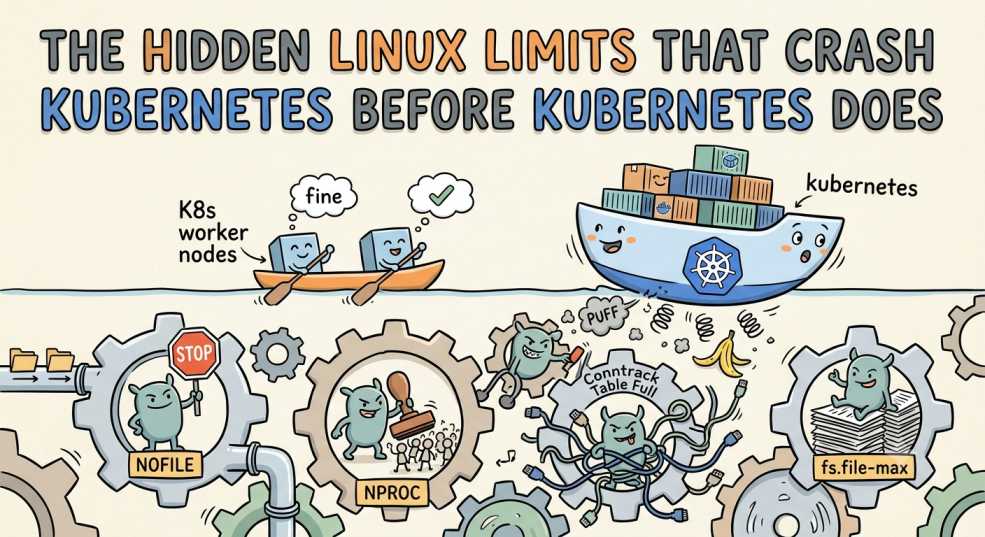
Containers start failing.
Applications suddenly refuse new connections.
Elasticsearch won't boot.
Pods begin restarting for no obvious reason.
You open your Kubernetes dashboards expecting to find overloaded nodes or unhealthy control plane components. Instead, everything looks surprisingly normal. CPU usage is reasonable, memory isn't exhausted, and Kubernetes reports the cluster as healthy.
Yet production is clearly experiencing problems.
At this point, it's tempting to blame Kubernetes. After all, it's the platform orchestrating every workload in the cluster.
But in many real production incidents, Kubernetes isn't the component that's failing.
Linux is.
Kubernetes depends entirely on the Linux kernel underneath it. Every pod, every container, every network packet, and every storage operation ultimately relies on resources managed by the operating system. If Linux refuses to allocate another process, file descriptor, memory map, or network port, Kubernetes can't override that decision.
Understanding these hidden Linux limits is often the difference between spending hours chasing the wrong problem and resolving an outage in minutes.
Kubernetes Doesn't Replace Linux
It's easy to forget what's happening beneath Kubernetes because the platform abstracts so much infrastructure away.
A pod may feel like an isolated unit, but it's still just a collection of Linux processes running inside namespaces and cgroups. Containers don't replace the operating system. They rely on it.
The stack looks like this:
Application
     │
     ▼
Container
     │
     ▼
Container Runtime
     │
     ▼
Linux Kernel
     │
     ▼
Hardware
Whenever an application needs to open a network connection, create a process, read a file, or allocate memory, the request eventually reaches the Linux kernel.
If Linux says no, Kubernetes has no choice but to report the failure.
That's why experienced platform engineers investigate the operating system just as carefully as they investigate Kubernetes itself.
Hidden Limit 1: File Descriptors (ulimit)
One of the most common Linux limits affecting Kubernetes is the number of file descriptors available to a process.
Despite the name, file descriptors aren't just used for files.
Linux represents many system resources as file descriptors, including:
- Network sockets
- Log files
- Pipes
- Event notifications
- Device files
- Unix sockets
Every application consumes them.
A busy API server accepting thousands of client connections may use tens of thousands of file descriptors without ever touching a traditional file.
Eventually, the operating system refuses to allocate any more.
The application starts producing errors such as:
Too many open filesFrom Kubernetes' perspective, nothing appears unusual. The pod is still running.
From the application's perspective, it's no longer able to accept new connections or write logs.
Large ingress controllers, API gateways, databases, and monitoring systems are particularly vulnerable because they maintain thousands of simultaneous connections.
Check the Current Limits
To inspect the current file descriptor limit, run:
ulimit -nTo view the system-wide maximum:
cat /proc/sys/fs/file-maxThe first command shows the limit for the current shell or process.
The second shows the maximum number of file descriptors the Linux kernel can allocate across the entire system.
Soft vs Hard Limits
Linux actually maintains two limits.
- Soft limit – the value applications use by default.
- Hard limit – the maximum value the soft limit can be increased to.
An application might only be allowed 1,024 open files even though the operating system is capable of supporting hundreds of thousands.
Increasing the appropriate limit often resolves mysterious production issues that appear unrelated to Kubernetes.
Hidden Limit 2: PID Limits
Every container eventually creates Linux processes.
A web server creates worker processes.
A Java application launches threads.
Sidecars spawn helper processes.
System utilities create temporary child processes.
All of them consume Process IDs, commonly called PIDs.
Linux limits how many processes can exist at the same time.
Once that limit is reached, the kernel refuses to create another process.
The application may fail to start, background workers stop launching, and containers may begin crashing even though CPU and memory usage still look healthy.
From Kubernetes, it often appears as another unexplained CrashLoopBackOff.
The failure chain looks like this:
Pod
 │
 ▼
Processes
 │
 ▼
PID Limit Reached
 │
 ▼
New Process Cannot Start
 │
 ▼
CrashLoopBackOff
Unlike CPU or memory exhaustion, PID exhaustion is easy to overlook because many monitoring dashboards don't display it by default.
Check the Maximum PID Limit
Run:
cat /proc/sys/kernel/pid_maxThis displays the maximum number of process IDs the kernel can allocate.
Kubernetes also reserves PIDs for essential system components through the kubelet. Proper PID reservation prevents user workloads from starving critical system services.
If too many processes are created without adequate limits, even healthy nodes can become unstable.
Hidden Limit 3: vm.max_map_count
If you've ever deployed Elasticsearch or OpenSearch on Kubernetes, you've probably encountered an error mentioning vm.max_map_count.
This Linux setting controls how many virtual memory mappings a process can create.
Applications that rely heavily on memory-mapped files need a much higher value than the Linux default.
Elasticsearch is the most well-known example, but it's far from the only one.
Other workloads that commonly depend on higher memory map limits include:
- OpenSearch
- Vector databases
- Analytics engines
- Large search platforms
When the limit is too low, Kubernetes schedules the pod successfully.
The container starts.
Then the application immediately exits.
It isn't Kubernetes rejecting the workload.
It's Linux refusing another memory mapping.
Check the Current Value
sysctl vm.max_map_countTo increase it temporarily:
sysctl -w vm.max_map_count=262144Many engineers spend hours debugging Kubernetes deployments before discovering that a single Linux kernel parameter is preventing the application from running.
Hidden Limit 4: inotify
Modern applications rarely wait for someone to restart them after a configuration change. Instead, they continuously watch files for updates. Kubernetes itself relies on this behaviour for several features, including mounted ConfigMaps and Secrets.
Behind the scenes, Linux uses inotify to monitor file system events.
Every application watching a file consumes an inotify watch.
Most of the time, you never notice it's there.
However, in large Kubernetes clusters running monitoring stacks, GitOps tools, IDEs, operators, or applications with hot reloading enabled, these watches accumulate surprisingly quickly.
Eventually, Linux refuses to create any more.
The application doesn't always crash. Instead, configuration changes stop being detected, file watchers silently fail, dashboards stop refreshing automatically, or applications continue using outdated configuration even after you've updated a ConfigMap.
These failures are particularly frustrating because everything appears healthy until someone realizes new changes aren't being picked up.
Check the Current Limits
cat /proc/sys/fs/inotify/max_user_watchescat /proc/sys/fs/inotify/max_user_instancesIf your workloads rely heavily on watching files, increasing these values is often necessary as the cluster grows.
Hidden Limit 5: Ephemeral Ports
Every outbound network connection requires a temporary source port.
These temporary ports are called ephemeral ports, and Linux allocates them automatically whenever an application opens an outbound connection.
Most engineers never think about them because they're designed to be temporary.
Until they aren't.
Imagine hundreds of microservices communicating with databases, APIs, message brokers, monitoring systems, and third-party services.
Every connection consumes an ephemeral port.
After the connection closes, Linux keeps that port in a TIME_WAIT state for a short period before allowing it to be reused.
During traffic spikes, thousands of connections can accumulate faster than ports become available.
Eventually, the operating system runs out.
Applications begin reporting random connection failures.
External APIs start timing out.
DNS lookups become inconsistent.
From Kubernetes, nothing appears wrong.
The limitation exists entirely inside the Linux networking stack.
The process looks like this:
Pod
 │
 ▼
Outbound Connections
 │
 ▼
Ephemeral Port Pool
 │
 ▼
Ports Exhausted
 │
 ▼
New Connections Fail
Check the Port Range
sysctl net.ipv4.ip_local_port_rangeTo view socket usage:
ss -sBusy API gateways, service meshes, and high-traffic microservice platforms are the workloads most likely to encounter ephemeral port exhaustion.
Hidden Limit 6: conntrack
Not every networking problem originates from Kubernetes.
Sometimes Linux simply loses track of too many connections.
The Linux kernel maintains a connection tracking table, commonly known as conntrack, to monitor active network flows.
Every new connection occupies an entry.
As clusters scale, thousands of pods generate enormous amounts of traffic.
If the conntrack table becomes full, Linux starts delaying or dropping packets.
Applications experience random networking problems.
DNS queries become slow.
API requests intermittently fail.
Service-to-service communication becomes unreliable.
The failure chain looks like this:
Network Traffic
      │
      ▼
Linux conntrack Table
      │
      ▼
Table Full
      │
 ├── Delayed Packets
 └── Dropped Packets
      │
      ▼
Application Errors
If you've read our article on Why Your Kubernetes DNS Is Slow Even When CoreDNS Is Healthy, you'll remember that conntrack saturation is one of the most overlooked causes of DNS latency in production clusters.
Check conntrack Capacity
cat /proc/sys/net/netfilter/nf_conntrack_maxMonitoring conntrack usage alongside CPU and memory provides a much clearer picture of node health.
How to Check Linux Limits Before They Become Production Problems
Linux exposes nearly every important kernel limit through simple commands.
Rather than waiting for applications to fail, it's worth checking these values proactively.
ulimit -aDisplays the current shell's resource limits, including file descriptors and process limits.
sysctl -aLists every configurable kernel parameter available on the node.
cat /proc/sys/fs/file-maxShows the maximum number of file descriptors available system-wide.
cat /proc/sys/fs/inotify/max_user_watchesDisplays the maximum number of inotify watches available.
cat /proc/sys/kernel/pid_maxShows the maximum number of Linux process IDs.
cat /proc/sys/net/netfilter/nf_conntrack_maxDisplays the maximum size of the conntrack table.
Together, these commands provide a quick health check for the Linux kernel underneath your Kubernetes cluster.
Common Linux Limits and Their Symptoms
| Network Traffic | ||
| ↓ | ||
| Linux conntrack Table | ||
| ↓ | ||
| conntrack Table Full | ||
| ↓ | ||
|
||
| ↓ | ||
| Retries & Timeouts | ||
| ↓ | ||
| Application Errors |
Why AI Generated Kubernetes YAML Won't Warn You About Linux Limits
AI tools have become remarkably good at generating Kubernetes manifests. They can produce Deployments, Services, Helm charts, and even complete application stacks in seconds.
What they rarely do is ask questions about the operating system those workloads will run on.
They won't warn you that your file descriptor limit is too low.
They won't check whether vm.max_map_count can support Elasticsearch.
They won't tell you your nodes are running out of ephemeral ports or that conntrack is approaching capacity.
Those aren't Kubernetes problems.
They're Linux problems.
AI can help you deploy workloads faster, but it can't replace an understanding of the kernel managing those workloads.
As Kubernetes platforms continue growing, Linux knowledge becomes increasingly valuable because every container ultimately depends on the operating system underneath it.
Best Practices
A few proactive checks can prevent many production incidents:
- Audit Linux kernel limits before deploying production workloads.
- Tune
sysctlvalues according to your applications instead of relying on operating system defaults. - Monitor Linux metrics alongside Kubernetes metrics.
- Load test clusters before scaling production traffic.
- Keep kernel tuning consistent across all worker nodes.
- Document every custom Linux configuration so new nodes remain identical.
Small kernel changes often have a bigger impact on application stability than adding more Kubernetes resources.
Conclusion
When Kubernetes workloads begin failing, it's natural to focus on pods, deployments, and cluster components first.
But Kubernetes doesn't replace Linux.
It depends on it.
Every container still needs file descriptors, process IDs, memory mappings, network ports, and kernel resources managed by the operating system. Once Linux reaches one of those limits, Kubernetes can do little more than report the resulting failure.
The next time an application refuses to start or networking begins behaving unpredictably, don't stop your investigation at Kubernetes. Look underneath it.
More often than many engineers realize, the real bottleneck isn't the orchestrator.
It's the operating system quietly enforcing limits that have existed all along.
"Kubernetes schedules your workloads. Linux decides whether they actually run."