eBPF Kubernetes Networking With Cilium and Hubble
Learn how eBPF, Cilium, and Hubble are transforming Kubernetes networking with sidecarless service mesh architecture, kernel-level observability, and Layer 7 security.
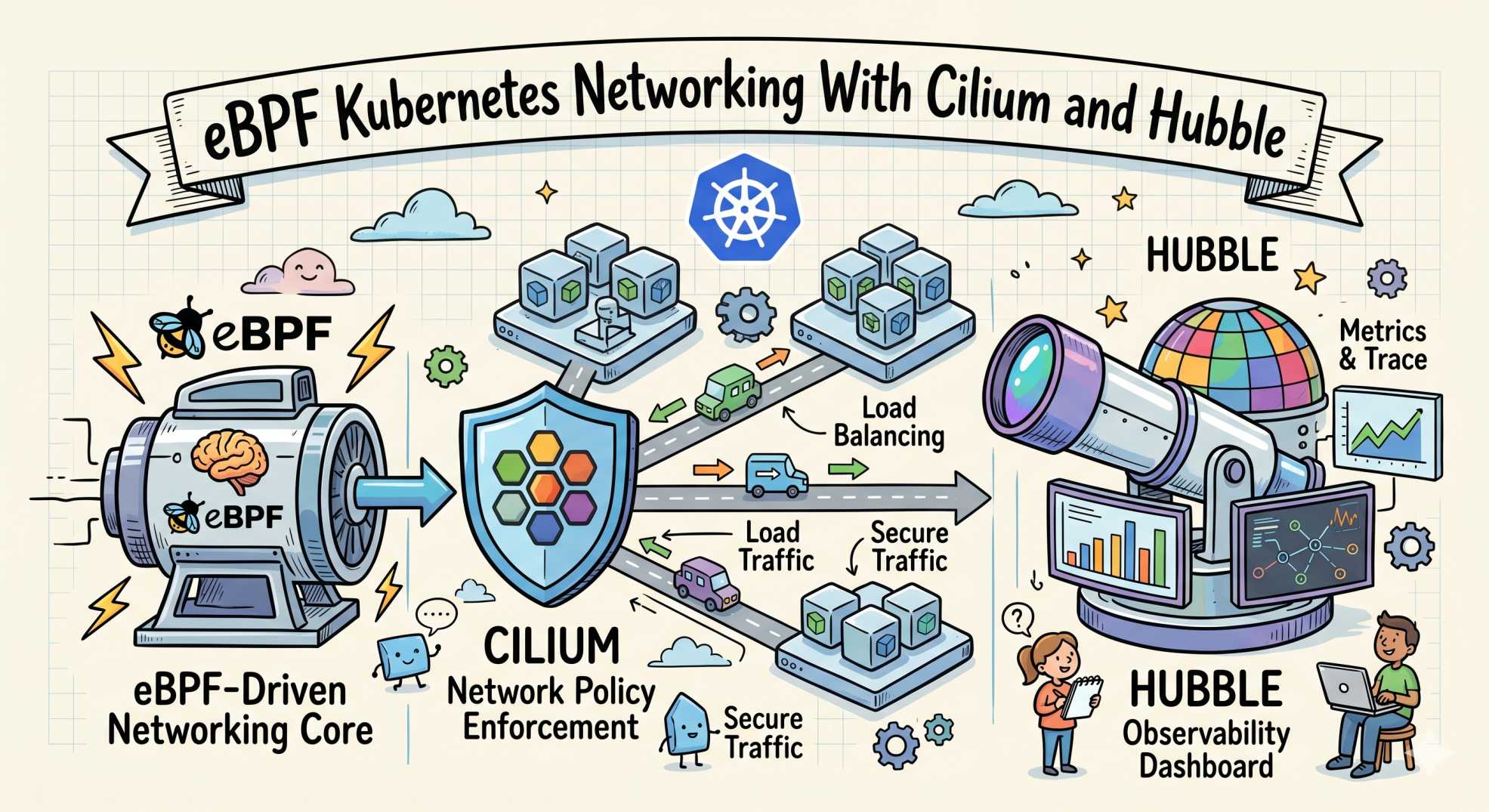
If you have ever managed a traditional service mesh like Istio or Linkerd at scale, you already know what the sidecar tax feels like.
You deploy a lightweight microservice consuming barely 30 MB of memory, and suddenly an Envoy sidecar appears beside it using another 150 MB just to handle routing, encryption, and telemetry. 😵
Now multiply that across hundreds of Kubernetes pods running in production.
The result:
- higher cloud bills
- increased latency
- slower deployments
- more operational complexity
- overloaded SRE teams
This is exactly why platform engineering and SRE teams are moving toward sidecarless service mesh architectures powered by eBPF and Cilium. 🚀
Why Traditional Service Mesh Architectures Become Expensive
Traditional service meshes rely heavily on sidecar proxies.
Every pod receives:
- an application container
- a proxy container
- additional memory overhead
- extra CPU usage
- more network hops
This architecture introduces multiple operational problems:
Higher Infrastructure Costs
Each sidecar consumes resources independently. At enterprise scale, this creates massive compute waste across Kubernetes clusters.
Increased Network Latency
Traffic repeatedly moves between:
- kernel space
- user space
- proxy containers
- application containers
Even tiny delays become significant in high-throughput microservice environments.
Complex Deployments
If the sidecar injection webhook fails during deployment, applications may fail to start entirely.
SRE teams often spend hours debugging:
- broken sidecar injection
- mTLS synchronization issues
- proxy startup race conditions
- Envoy configuration drift
This complexity directly hurts Kubernetes reliability engineering efforts.
What is eBPF in Kubernetes
eBPF (Extended Berkeley Packet Filter) allows sandboxed programs to run directly inside the Linux kernel.
Unlike traditional observability tools operating in user space, eBPF works at the kernel layer itself.
That changes everything. 🔥
Instead of intercepting traffic externally, eBPF observes:
- network packets
- system calls
- DNS requests
- TCP connections
- file activity
- application communication
directly from the operating system kernel.
Because of this architecture, eBPF Kubernetes networking delivers:
- near-zero overhead observability
- faster packet processing
- deeper telemetry visibility
- lower latency
- better security enforcement
without modifying application code or injecting sidecars.
How Cilium Uses eBPF for Kubernetes Networking
Cilium is one of the most important projects driving the shift toward sidecarless Kubernetes networking.
Instead of relying on legacy IPTables routing, Cilium uses eBPF directly inside the Linux kernel.
This enables:
- faster service routing
- scalable Kubernetes networking
- lower CPU consumption
- advanced Layer 7 security policies
- real-time observability
For modern platform engineering teams, Cilium effectively transforms Kubernetes networking into a programmable security and observability layer.
Hubble Observability Makes Kubernetes Traffic Visible
Routing alone is not enough for SRE teams.
They also need deep observability.
That is where Hubble comes in.
Hubble uses eBPF telemetry streams generated by Cilium to visualize real-time cluster communication.
With the Hubble UI observability dashboard, teams can instantly monitor:
- HTTP requests
- DNS queries
- gRPC communication
- TCP connections
- service dependencies
- failed network flows
without deploying extra monitoring agents.
This creates a dramatically cleaner observability stack for Kubernetes operations teams. 📊
Cilium Network Policies Enable Layer 7 Security
Traditional Kubernetes NetworkPolicies only operate at:
- Layer 3 (IP level)
- Layer 4 (port level)
That means they cannot inspect actual application requests.
Cilium changes this completely.
Using eBPF, Cilium enables Layer 7 security policies directly inside the kernel.
This allows teams to filter traffic based on:
- HTTP methods
- request paths
- API routes
- DNS queries
- gRPC services
Here is a practical Cilium NetworkPolicy example:
apiVersion: "cilium.io/v2"
kind: CiliumNetworkPolicy

metadata:
  name: secure-api-access
  namespace: production

spec:
  endpointSelector:
    matchLabels:
      app: backend-service

  ingress:
    - fromEndpoints:
        - matchLabels:
            app: frontend-service

      toPorts:
        - ports:
            - port: "8080"
              protocol: TCP

          rules:
            http:
              - method: "GET"
                path: "/public/.*"
This policy allows:
- only the frontend service
- using GET requests
- targeting
/public/*endpoints
Any unauthorized API request gets blocked directly inside the Linux kernel before reaching the application.
That is extremely powerful for Kubernetes zero-trust security models. 🔐
Why SRE Teams Prefer Sidecarless Service Mesh Architectures
Moving away from sidecars simplifies operations significantly.
SRE teams no longer need to manage:
- heavy proxy containers
- broken injection webhooks
- complex mTLS certificate chains
- sidecar startup synchronization
- duplicated telemetry pipelines
Instead, eBPF provides:
- unified observability
- kernel-level security
- lower infrastructure costs
- reduced latency
- simplified Kubernetes operations
This is why sidecarless service mesh adoption is accelerating rapidly across enterprise cloud-native platforms.
eBPF vs Sidecar Service Mesh Comparison
| Feature | Traditional Sidecar Mesh | eBPF + Cilium |
|---|---|---|
| Resource Usage | High | Low |
| Latency | Higher | Lower |
| Observability | Proxy-based | Kernel-native |
| Complexity | High | Lower |
| Security Enforcement | Sidecar proxy | Kernel-level |
| Scaling Efficiency | Moderate | Excellent |
| Operational Overhead | Heavy | Lightweight |
Frequently Asked Questions
What is eBPF in Kubernetes
eBPF is a Linux kernel technology that allows programs to safely run inside the kernel for networking, observability, and security operations without modifying application code.
What is a sidecarless service mesh?
A sidecarless service mesh removes proxy containers from Kubernetes pods and instead manages networking and security directly inside the kernel using technologies like eBPF.
Why is Cilium better than IPTables
Cilium uses eBPF for faster packet processing and scalable networking, while IPTables becomes slower as Kubernetes environments grow larger.
What is Hubble used for
Hubble provides real-time Kubernetes observability by visualizing network communication, DNS requests, HTTP traffic, and service dependencies using eBPF telemetry.
Does eBPF improve Kubernetes performance
Yes. eBPF reduces networking overhead, lowers latency, minimizes resource usage, and improves observability performance compared to traditional sidecar architectures.
Final Thoughts
The Kubernetes ecosystem is entering a major architectural transition.
Traditional sidecar-heavy service meshes solved critical networking and security challenges, but they introduced significant operational overhead in return.
eBPF, Cilium, and Hubble represent the next evolution of cloud-native infrastructure:
- lightweight
- scalable
- observable
- secure
- kernel-native
For platform engineering and SRE teams trying to reduce latency, improve observability, and cut infrastructure costs, sidecarless service mesh architecture is quickly becoming the future of Kubernetes networking. 🚀
eBPF and Cilium FAQ
What is eBPF in Kubernetes?
eBPF lets you run sandboxed programs inside the Linux kernel without changing kernel source or loading modules. In Kubernetes it is used to handle networking, observability and security at the kernel level, replacing slower userspace paths such as iptables rule chains.
Is Cilium better than kube-proxy?
For large clusters, generally yes. kube-proxy in iptables mode evaluates rule chains sequentially, so per-packet cost grows with Service count. Cilium uses eBPF hash-table lookups whose cost stays broadly constant. On a small cluster the difference is not worth a migration.
What kernel version does Cilium require?
Cilium runs on 4.19 and later, but 5.10 or newer is recommended for the full feature set including the bandwidth manager, egress gateway and better XDP support. Full kube-proxy replacement wants 5.4 or later.
What is Hubble used for?
Hubble is Cilium's observability layer. It provides flow-level visibility into what is talking to what, why connections are dropped, and how services relate — without sidecars or application instrumentation. 'hubble observe --verdict DROPPED' is the fastest way to diagnose a policy problem.
Does eBPF improve Kubernetes performance?
It removes the per-packet cost of long iptables chains and eliminates sidecar proxy hops in a sidecarless mesh. The gain scales with cluster size — meaningful on clusters with thousands of Services, largely invisible on a handful.
Can Cilium replace my service mesh?
For L3/L4 policy, load balancing and observability, often yes, and without a sidecar per pod. Cilium also handles mutual authentication and L7 policy. Advanced traffic management such as fine-grained canary splitting may still need a dedicated mesh.
Troubleshooting Cilium
Pods stuck in ContainerCreating after install
Nearly always CNI configuration. Check the agent logs and confirm the config was written:
kubectl -n kube-system logs ds/cilium --tail=50
ls /etc/cni/net.d/          # expect a Cilium conflist
If a previous CNI's config file is still present and sorts earlier alphabetically, the kubelet will keep using it. Remove the stale file and restart the kubelet.
Connectivity test fails but status is green
cilium status reports agent health, not data-path correctness. A failing connectivity test with a healthy status usually points at kube-proxy replacement being partially configured, or at a cloud firewall blocking the VXLAN or Geneve tunnel port between nodes.
Traffic dropped after applying a policy
hubble observe --verdict DROPPED --last 50
kubectl -n kube-system exec ds/cilium -- cilium-dbg endpoint list
The endpoint list shows the enforcement state per endpoint. Combined with the drop reason from Hubble, that is normally enough to identify the missing rule in one pass.
High memory use on the agent
Usually eBPF map sizing on large clusters. The maps are pre-allocated, so a cluster with many endpoints needs explicit tuning rather than defaults. Size bpf.mapDynamicSizeRatio or the individual map limits against your endpoint count.
Network Policy Beyond L3/L4
Standard Kubernetes NetworkPolicy stops at IP and port. CiliumNetworkPolicy extends to the application layer, which is where the useful restrictions live. This one allows GETs to a specific path and denies everything else — without a sidecar proxy:
apiVersion: cilium.io/v2
kind: CiliumNetworkPolicy
metadata:
  name: allow-checkout-to-payments
spec:
  endpointSelector:
    matchLabels:
      app: payments
  ingress:
    - fromEndpoints:
        - matchLabels:
            app: checkout
      toPorts:
        - ports:
            - port: "8080"
              protocol: TCP
          rules:
            http:
              - method: GET
                path: "/api/v1/charge"
Note fromEndpoints with label selectors rather than CIDR blocks. The policy follows the workload, not its address.
One warning worth taking seriously: the moment any policy selects an endpoint, that endpoint defaults to deny for everything not explicitly allowed. Roll policies out in audit mode first and watch Hubble for drops before enforcing.
Using Hubble to Actually Debug Something
Hubble's value is answering "why did this connection fail" without adding sidecars or instrumenting the application. The commands below are the ones worth memorising.
# Live flow feed across the cluster
hubble observe --follow

# Only what a specific pod is doing
hubble observe --pod default/checkout --follow

# The question you usually have: what is being dropped, and why?
hubble observe --verdict DROPPED --last 100

# Narrow to one namespace and port
hubble observe --namespace payments --port 5432

# HTTP-level visibility, when an L7 policy is in force
hubble observe --protocol http --verdict DROPPED
--verdict DROPPED is the one that earns its keep. Hubble reports the reason alongside the flow — "Policy denied", for instance — which turns a vague connectivity complaint into a specific policy line to fix.
For a visual service map, port-forward the UI:
cilium hubble uiReplacing kube-proxy: What Actually Changes
This is the change people mean when they say Cilium is faster, and it is worth understanding rather than taking on faith.
kube-proxy in iptables mode writes a rule chain for every Service and endpoint. Rule evaluation is essentially sequential, so the cost of matching a packet grows with the size of the chain. A cluster with a handful of Services never notices. A cluster with thousands does — both in per-packet latency and in the time taken to reprogram rules when endpoints change.
Cilium replaces that with eBPF programs attached to kernel hooks, using hash-table lookups whose cost stays flat as Service count grows.
| kube-proxy (iptables) | Cilium eBPF | |
|---|---|---|
| Service lookup | Sequential rule chains | Hash table |
| Scaling behaviour | Degrades as Services grow | Broadly constant |
| Policy identity | IP and port | Workload identity labels |
| Policy layers | L3/L4 | L3/L4 and L7 (HTTP, gRPC, Kafka) |
Confirm the replacement is actually active — a partial configuration silently leaves kube-proxy handling some paths:
kubectl -n kube-system exec ds/cilium -- cilium-dbg status | grep KubeProxyReplacementIn older Cilium versions the in-pod binary is cilium rather than cilium-dbg. If the command above is not found, try it without the suffix.
The identity model is the part that changes how you work. Cilium assigns an identity derived from workload labels, so a policy keeps applying as pods are rescheduled and IPs churn. Anyone who has debugged an IP-based policy after a rolling update will appreciate why that matters.
Installing Cilium on Kubernetes
The CLI is the fastest route for a test cluster:
# Install the Cilium CLI, then:
cilium install

# Wait for the control plane to settle
cilium status --wait

# Verify data-path connectivity end to end.
# This spins up test workloads and takes several minutes.
cilium connectivity test
For anything you intend to keep, use Helm so the configuration is reviewable and reproducible:
helm repo add cilium https://helm.cilium.io/
helm install cilium cilium/cilium \
  --namespace kube-system \
  --set kubeProxyReplacement=true \
  --set k8sServiceHost=<API_SERVER_HOST> \
  --set k8sServicePort=<API_SERVER_PORT> \
  --set hubble.relay.enabled=true \
  --set hubble.ui.enabled=true
Version note: kubeProxyReplacement took the values strict, partial or disabled in older Cilium releases and true/false in current ones. Check the values reference for the chart version you are installing — this flag is a frequent source of failed upgrades.
cilium connectivity test is worth the wait. It exercises pod-to-pod, pod-to-service and egress paths, and it catches misconfiguration that a green cilium status will happily hide.
Requirements Before You Start
eBPF is a kernel technology, so the kernel version is the constraint that matters most. Check it before anything else:
uname -r # on every node, not just one
Cilium runs on older kernels, but the interesting features are gated behind newer ones. As a rough guide:
| Kernel | What you get |
|---|---|
| 4.19+ | Baseline Cilium networking and policy |
| 5.4+ | Full kube-proxy replacement |
| 5.10+ | Recommended — bandwidth manager, better XDP support, egress gateway |
Managed Kubernetes changes the picture. On EKS, GKE and AKS the node image dictates your kernel, and each provider has its own Cilium install path — particularly on EKS, where you choose between replacing the AWS VPC CNI and chaining onto it. Always check the Cilium documentation for your specific platform before running a generic install.