AWS Lambda Provisioned Concurrency: Because waiting for cold starts is so last season!
Tired of AWS Lambda cold starts? Explore how Provisioned Concurrency keeps functions ready to run instantly, improving speed, scalability, and serverless reliability.

Picture this: You’ve built a sleek, serverless application on AWS Lambda. It’s fast, scalable, and cost-efficient. But then, out of nowhere, your users start complaining about sluggish responses. You investigate and discover the culprit: cold starts.
Luckily, AWS introduced Provisioned Concurrency, a feature designed to keep Lambda functions warm and ready to execute with lightning-fast response times. Let’s break down what it is, how it works, and why your serverless applications will love it.
What is Provisioned Concurrency?
Amazon Lambda is a serverless computing service that automatically scales applications in response to incoming traffic. While this sounds perfect, traditional on-demand scaling can lead to cold starts—which cause latency when functions are executed for the first time.When enabled, Provisioned Concurrency prepares execution environments in advance, so when traffic spikes, your functions respond instantly—without waiting for a new container to spin up. 🎉
What Are Cold Starts & How Does Provisioned Concurrency Solve Them?

Whenever you invoke a Lambda function, AWS Lambda must provision a secure, isolated environment for your code to run. To execute your function, that environment involves essential resources, including memory, CPU, and runtime. Cold starts occur during the INIT phase since AWS Lambda must initialize this environment from scratch. If no pre-prepared environments are available, then Lambda takes some extra time to configure everything before executing the function, and therefore, it creates a delay in handling the first request. In applications with heavy traffic(like games, etc.) or in cases of sudden spikes in demand, these delays become really quite noticeable.
As the number of simultaneous requests increases, Lambda is automatically scaled by creating more environments to handle the load. Though scalability is one of the Lambda strengths, the time for initializing new environments during cold starts degrades latency-sensitive performance.
Short answer
AWS Lambda Provisioned Concurrency keeps a set number of execution environments initialised and ready, so invocations skip the INIT phase and avoid cold starts. You configure it on a published version or alias — never on $LATEST.
The trade-off: you are billed for the concurrency you configure for as long as it is enabled, whether or not it is used. It suits predictable, latency-sensitive traffic. For spiky or low-volume workloads, on-demand concurrency or SnapStart is usually the better call.
Key Considerations When Using Provisioned Concurrency
Before enabling Provisioned Concurrency, here are some important details to keep in mind:
1. Provisioning Time
• After activation, Lambda takes a minute or two to provision the requested number of concurrent executions.
• You can monitor progress directly from the AWS console.
2. It Works with Versions and Aliases
• Provisioned Concurrency is tied to function versions—you must apply it to a specific alias or version.
Example: If you configure it on an alias like canary, it affects the underlying version 10 but not the latest deployment.
3. Not Available for $LATEST Version
• You cannot enable Provisioned Concurrency on the $LATEST version of your function.
• Only published versions or aliases support this feature.
4. No Double Dipping!
• You cannot configure Provisioned Concurrency on both an alias and its associated version at the same time.
• If multiple aliases point to the same version, you can’t enable Provisioned Concurrency for all of them.
How to Monitor Provisioned Concurrency Performance
To ensure your Lambda functions are running smoothly with Provisioned Concurrency, keep an eye on these Amazon CloudWatch metrics:
1.ProvisionedConcurrentExecutions – Tracks how many instances are using Provisioned Concurrency.
2.ProvisionedConcurrencyUtilization – Shows what percentage of Provisioned Concurrency is currently in use.
3.ProvisionedConcurrencyInvocations – Counts the number of requests served using Provisioned Concurrency.
4.ProvisionedConcurrencySpilloverInvocations – Measures requests that exceeded the limit and were handled by on-demand execution.
How to Enable Provisioned Concurrency in AWS Lambda
Step 1: Open AWS Lambda Console
• Navigate to the AWS Lambda Console and select an existing function.
Step 2: Publish a New Version
• Click Actions > Publish new version to create a stable function version.
• (Optional) Add a description before hitting Publish.
Step 3: Create an Alias
• Go to Actions > Create alias, and enter an alias name (e.g., stable).
• Under Version, select 1, then click Create.
Step 4: Configure Provisioned Concurrency
• Locate the Concurrency card and select Add.
• Under Qualifier Type, choose Alias and select the alias you created earlier.
• Specify the desired number of pre-warmed instances and click Save.
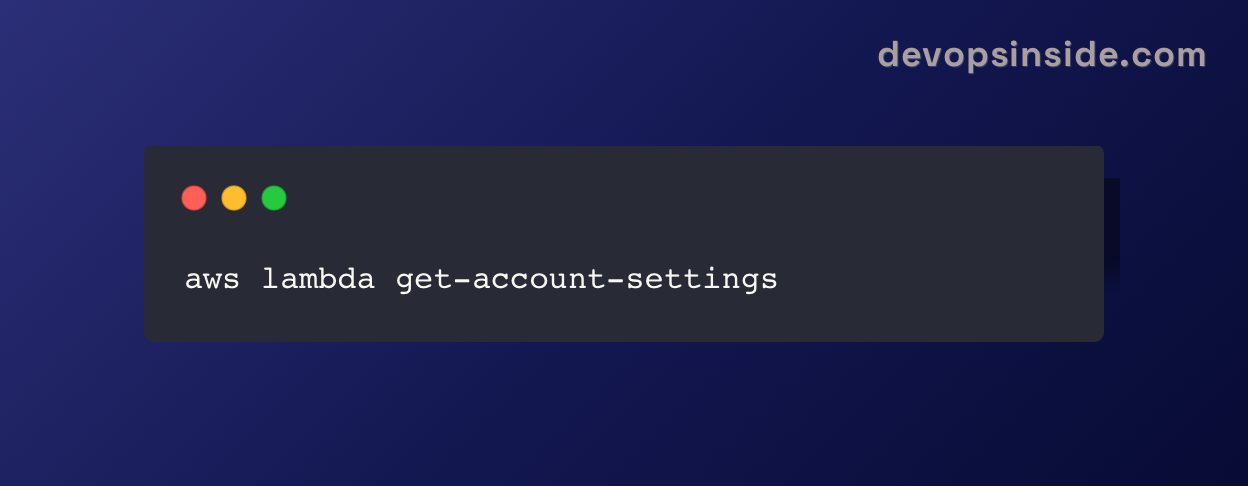
To check your account's concurrency quota, run this AWS CLI command:
Provisioned vs Reserved vs On-Demand Concurrency
These three get confused constantly, and they solve different problems. Reserved concurrency is about capacity limits. Provisioned concurrency is about startup latency. They are independent and can be used together.
| On-Demand | Reserved | Provisioned | |
|---|---|---|---|
| What it does | Default scaling | Caps & guarantees a share of account concurrency | Pre-initialises environments |
| Cold starts | Yes | Yes | No, within the configured count |
| Extra cost | None | None | Yes — billed while enabled |
| Applies to | Function | Function | Version or alias only |
| Use when | Latency is not critical | You must protect other functions from one noisy function | P99 latency matters and traffic is predictable |
A common production setup uses both: reserved concurrency to stop one function starving the account pool, and provisioned concurrency on that function's alias to keep its latency flat.
What Provisioned Concurrency Actually Costs
This is the part that surprises teams. Provisioned concurrency has two billing components:
- The provisioned concurrency charge. You pay for the amount you configure, multiplied by the memory allocated, multiplied by how long it stays enabled. This accrues whether or not a single request arrives.
- Invocation charges. Requests and duration are still billed — though duration served by provisioned environments is charged at a lower rate than standard on-demand invocations.
The practical consequence: provisioned concurrency running 24/7 at a level you only need for two hours a day is mostly waste. Because rates vary by region and change over time, check the current AWS Lambda pricing page rather than any figure you find in a blog post — including this one.
Before enabling it, do the arithmetic that actually matters:
- How many cold starts are you genuinely serving per day? Check the
INIT_STARTentries in CloudWatch Logs. - What is the measured INIT duration? If it is 200 ms, provisioned concurrency may be solving a problem your users cannot perceive.
- What share of the day actually needs the capacity? If it is a predictable window, use scheduled scaling (below) instead of a flat allocation.
Provisioned Concurrency vs SnapStart
SnapStart attacks the same problem from a different angle. Instead of keeping environments running, it takes a snapshot of an initialised environment and restores from that snapshot on invocation.
| Provisioned Concurrency | SnapStart | |
|---|---|---|
| Mechanism | Keeps environments warm | Restores from a snapshot of the init state |
| Runtimes | All | Java, Python and .NET (check current AWS docs) |
| Idle cost | Charged continuously | No always-on concurrency charge; pricing varies by runtime |
| Cold start | Eliminated within the configured count | Substantially reduced, not eliminated |
| Main caveat | Pay for idle capacity | Snapshot uniqueness — seeds, connections and cached credentials need runtime hooks |
Rule of thumb: if you are on a supported runtime and your init work is deterministic, try SnapStart first — it removes most of the pain without an always-on bill. Reach for provisioned concurrency when you need a hard latency guarantee, when you are on an unsupported runtime, or when init genuinely cannot be snapshotted.
The SnapStart caveat matters more than it sounds. If your initialisation opens a database connection or seeds a random number generator, every restored environment inherits that same state. Use the runtime hooks to re-establish anything that must be unique per environment.
Configuring Provisioned Concurrency as Code
The console walkthrough above is fine for a first look, but nothing in production should be clicked into place by hand. Here is the same configuration in the three forms you are most likely to need.
AWS CLI
# Provisioned concurrency attaches to an alias or version, never $LATEST
aws lambda put-provisioned-concurrency-config \
  --function-name my-function \
  --qualifier stable \
  --provisioned-concurrent-executions 10

# Confirm it finished provisioning (Status should read READY)
aws lambda get-provisioned-concurrency-config \
  --function-name my-function \
  --qualifier stable

# Check your account-level concurrency headroom first
aws lambda get-account-settings
Terraform
resource "aws_lambda_alias" "stable" {
  name             = "stable"
  function_name    = aws_lambda_function.api.arn
  function_version = aws_lambda_function.api.version
}

resource "aws_lambda_provisioned_concurrency_config" "api" {
  function_name                     = aws_lambda_alias.stable.function_name
  qualifier                         = aws_lambda_alias.stable.name
  provisioned_concurrent_executions = 10
}
AWS SAM
Resources:
  ApiFunction:
    Type: AWS::Serverless::Function
    Properties:
      Handler: app.handler
      Runtime: python3.12
      AutoPublishAlias: stable        # required - PC needs an alias
      ProvisionedConcurrencyConfig:
        ProvisionedConcurrentExecutions: 10
Note the pattern in all three: an alias is mandatory. AutoPublishAlias in SAM handles version publishing and alias management for you, which is why it is the least error-prone of the three.
Auto-Scaling Provisioned Concurrency
A fixed allocation is the expensive way to use this feature. Application Auto Scaling supports Lambda provisioned concurrency, which lets you match capacity to demand instead of paying for peak all day.
Scheduled scaling — for known traffic patterns
If your traffic follows business hours, scale up before the rush and down afterwards:
aws application-autoscaling register-scalable-target \
  --service-namespace lambda \
  --resource-id function:my-function:stable \
  --scalable-dimension lambda:function:ProvisionedConcurrency \
  --min-capacity 2 --max-capacity 50

aws application-autoscaling put-scheduled-action \
  --service-namespace lambda \
  --resource-id function:my-function:stable \
  --scalable-dimension lambda:function:ProvisionedConcurrency \
  --scheduled-action-name scale-up-weekday-morning \
  --schedule "cron(45 8 ? * MON-FRI *)" \
  --scalable-target-action MinCapacity=20,MaxCapacity=50
Target tracking — for traffic you cannot predict
Target tracking watches the LambdaProvisionedConcurrencyUtilization metric and adjusts capacity to hold it near your target. A target around 0.7 leaves headroom for bursts while keeping utilisation respectable.
Be realistic about the limitation: scaling reacts to load it has already seen. A genuinely instantaneous spike will still spill over to on-demand invocations and produce cold starts. Watch ProvisionedConcurrencySpilloverInvocations — sustained spillover means your minimum capacity is set too low.
Troubleshooting Common Provisioned Concurrency Errors
"Invalid alias configuration for provisioned concurrency"
Almost always the same cause: your alias has a routing configuration. Weighted aliases that split traffic between two versions cannot carry provisioned concurrency, because Lambda cannot determine which version to pre-initialise.
Confirm it:
aws lambda get-alias --function-name my-function --name stable
# A populated "RoutingConfig" block is your answer
You have two ways out. Remove the routing configuration and apply provisioned concurrency to the alias, or leave the weighted alias alone and apply provisioned concurrency directly to each underlying version. The second option is what you want during a canary deployment where both versions are serving live traffic.
"Provisioned concurrency configuration failed"
Usually account concurrency headroom. Provisioned concurrency draws from the same regional pool as everything else, and Lambda requires you to keep at least 100 units of unreserved concurrency available. Requesting an allocation that would breach that floor fails.
aws lambda get-account-settings \
  --query 'AccountLimit.ConcurrentExecutions'
Add up your reserved and provisioned allocations across the region. If the total leaves under 100 unreserved, either lower the request or ask AWS to raise the account quota.
Status stuck on IN_PROGRESS
Allocation is not instant — Lambda initialises each environment, which means running your init code that many times. Large deployment packages and heavy initialisation both stretch this out. A minute or two is normal. If it fails outright, check that your init code does not depend on something unavailable at provisioning time, such as a VPC endpoint that is not yet reachable.
Cold starts continuing despite provisioned concurrency
Work through these in order:
- Are you invoking the qualified ARN? Calling the unqualified function name routes to
$LATEST, which has no provisioned concurrency. This is the single most common cause. - Is concurrent demand exceeding your allocation? Check
ProvisionedConcurrencySpilloverInvocations. - Did a deployment publish a new version? Provisioned concurrency stays with the version it was configured on. New version, no provisioned concurrency, unless your pipeline moves it.
When You Should Not Use Provisioned Concurrency
Balanced advice is more useful than a sales pitch. Skip it when:
- Your workload is asynchronous or batch. Queue consumers, scheduled jobs and stream processors rarely care about a few hundred milliseconds of init.
- Traffic is genuinely unpredictable. You will either over-provision and burn money, or under-provision and get cold starts anyway.
- Volume is low. A function handling a few hundred requests a day cannot justify an always-on allocation.
- You have not measured the init phase. A 150 ms cold start on an endpoint with a 2-second downstream call is not your bottleneck.
- SnapStart covers you. On a supported runtime with deterministic init, it delivers most of the benefit without the standing charge.
Measure first. Filter CloudWatch Logs for INIT_START, establish how often cold starts actually occur and how long they take, and only then decide whether the bill is justified.
Frequently Asked Questions
Does provisioned concurrency eliminate cold starts completely?
Within the number you configure, yes. Concurrent requests beyond that allocation spill over to on-demand execution and cold-start normally. Track ProvisionedConcurrencySpilloverInvocations to see whether that is happening.
Can I use provisioned concurrency on $LATEST?
No. It can only be configured on a published version or on an alias pointing to one. This is why every infrastructure-as-code example above publishes a version and creates an alias first.
Is provisioned concurrency charged when the function is idle?
Yes. You are billed for the configured concurrency for the entire time it is enabled, regardless of traffic. This is the single most important cost consideration, and the reason scheduled scaling is worth setting up.
What is the difference between reserved and provisioned concurrency?
Reserved concurrency caps and guarantees how much of your account's concurrency pool a function can use, and costs nothing extra. Provisioned concurrency pre-initialises execution environments to remove cold starts, and is billed. They solve different problems and can be used together.
Why am I getting 'invalid alias configuration for provisioned concurrency'?
Your alias almost certainly has a routing configuration, which weights traffic across two versions. Lambda cannot pre-initialise an ambiguous target. Either remove the routing configuration, or apply provisioned concurrency to the underlying versions individually.
Should I use SnapStart or provisioned concurrency?
If you are on a runtime SnapStart supports and your initialisation is deterministic, start with SnapStart — it avoids an always-on charge. Choose provisioned concurrency when you need a hard latency guarantee, when your runtime is unsupported, or when init state cannot be snapshotted safely.
Final Thoughts: Is Provisioned Concurrency Worth It?
If your application requires consistent, low-latency performance, then Provisioned Concurrency is a must-have ,particularly beneficial for:
✅ API endpoints that need fast response times.
✅ E-commerce & financial apps
✅ IoT & real-time applications that handle continuous requests
✅ Machine learning inference where every millisecond counts
🚀 Speed up your serverless apps and keep them running smooth—because nobody likes to wait! ⚡