Under the Hood #7 Zombie Processes Explained: Why kill -9 Does Not Work
Discover why kill -9 fails on zombie processes and learn how Linux process lifecycles, parent-child reaping, and container PID 1 issues cause zombie accumulation in production.
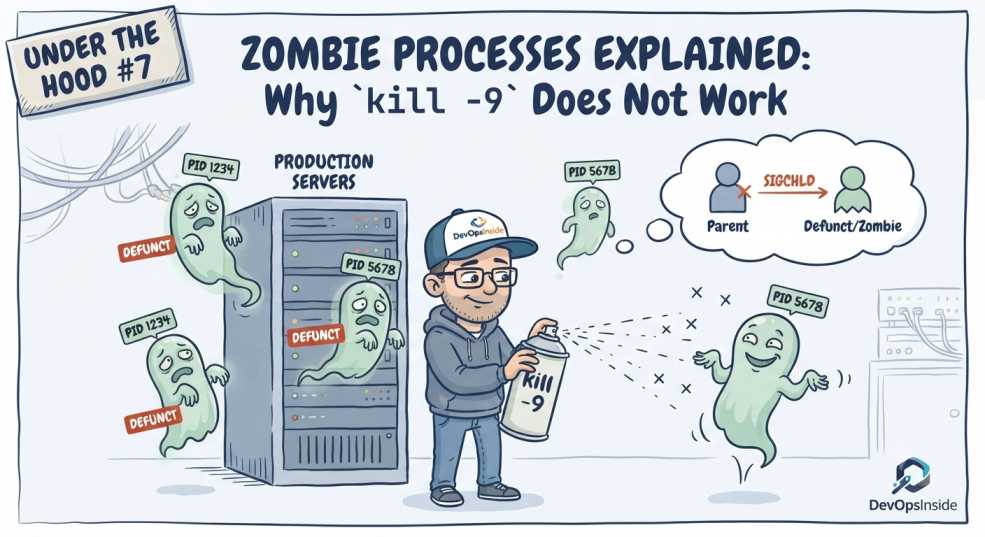
You run kill -9.
The process refuses to disappear.
It's not ignoring you.
It's already dead.
Every Linux engineer eventually encounters a process marked with a Z in ps. It looks like a process that refuses to die, but a zombie process is something much stranger.
It has already finished executing. It isn't consuming CPU like a normal process. It isn't sitting there waiting for another instruction. Yet Linux still keeps a small amount of information about it in the kernel.
So why does Linux keep a dead process around?
Why can't kill -9 remove it?
What happens when hundreds or thousands of these processes accumulate on a production server?
And why can a badly behaved container turn zombie processes into a much bigger problem?
Welcome back to Under the Hood, where we go below Docker and Kubernetes to understand what Linux is actually doing underneath.
Short answer
A zombie process (state Z in ps) has already exited. The kernel keeps only its process-table entry and exit status until the parent collects them with wait() — which is why kill -9 does nothing: you cannot kill a process that is already dead.
The fix is always the parent. Make it reap its children, or stop the parent so the orphaned zombie is adopted and reaped by PID 1. In containers, run a real init such as tini (or docker run --init) so something at PID 1 actually reaps.
What Exactly Is a Zombie Process?
A zombie process is a child process that has finished execution but whose parent has not yet collected its exit status.
The important part is this:
The child is already dead.
Linux keeps a small amount of information about the terminated process so that its parent can retrieve things such as:
- Its exit status
- Its termination information
- Its process ID
- Other bookkeeping information required by the parent to reap it
Until the parent performs a wait() or related system call, the child remains represented as a zombie.
You might see something like:
PID     PPID    STAT    CMD
4217    3102    Z       [worker]
The Z in the STAT column means zombie.
This is why thinking of a zombie as a "stuck process" leads you in the wrong direction.
It isn't stuck.
It's terminated, but not yet reaped.
First, Understand the Linux Process Lifecycle
To understand zombies, we need to start with what normally happens when a process is created.
A simplified lifecycle looks like this:
Parent Process
      |
      | creates
      v
Child Process
      |
      | runs
      v
Child exits
      |
      | SIGCHLD
      v
Parent calls wait()
      |
      v
Zombie is reaped
      |
      v
Process disappears
The interesting part happens between exit and wait().
Let's go through it.
Step 1: A Parent Creates a Child
Linux processes commonly create other processes.
For example, a shell might launch a command:
./workerThe shell is the parent.
The worker becomes the child.
At this point, both are normal running processes.
You can see the relationship using:
ps -o pid,ppid,stat,cmdFor example:
PID     PPID    STAT    CMD
3102    2500    S       bash
4217    3102    S       ./worker
Here:
3102is the parent's PID4217is the child's PID4217has3102as its parent
Linux maintains this parent-child relationship as part of the process hierarchy.
Step 2: The Child Finishes
Eventually, the child process exits.
It might:
- Finish successfully
- Return an error
- Crash
- Receive a terminating signal
- Call
exit() - Be terminated by another process
Once the process terminates, it is no longer executing user code.
But Linux doesn't immediately throw away every piece of information associated with it.
Why?
Because the parent may still need to know how the child ended.
For example:
waitpid(child_pid, &status, 0);allows the parent to collect the child's termination status.
That information can tell the parent whether the child:
- Exited successfully
- Returned an error
- Was terminated by a signal
- Produced a particular exit code
So Linux temporarily retains the necessary bookkeeping information.
That is where the zombie state comes from.
Step 3: Linux Notifies the Parent With SIGCHLD
When a child terminates, Linux can notify its parent with a SIGCHLD signal.
This is essentially Linux telling the parent:
Your child changed state. You may want to collect its status.
A properly designed parent can then call something like:
wait()or:
waitpid()to collect the child's termination status.
This is called reaping the child.
Once the child has been reaped, Linux can release the remaining bookkeeping associated with the terminated process, and its PID can become available for reuse.
So the normal lifecycle is:
Child runs
   ↓
Child exits
   ↓
SIGCHLD
   ↓
Parent calls wait()/waitpid()
   ↓
Child is reaped
   ↓
Process entry disappears
A zombie appears when the reaping step doesn't happen.
So Where Does the Zombie Come From?
Imagine the child exits:
Parent
  |
  └── Child
        |
        └── exits
The child is now dead.
But the parent doesn't call wait().
Linux therefore keeps the child's minimal termination record:
Parent
  |
  └── Zombie
The zombie remains until it is reaped.
This can happen because of:
- A programming bug
- A parent that doesn't correctly handle child processes
- Poor process-management logic
- A parent process that is malfunctioning
- A long-running service that repeatedly creates children without reaping them
One zombie isn't usually a disaster.
Thousands are a different story.
Why Doesn't kill -9 Work?
This is probably the most misunderstood part of zombie processes.
You see:
4217 Z [worker]So you try:
kill -9 4217Nothing happens. You try again.
Still nothing.
That's because there is nothing left to kill.
SIGKILL is a signal delivered to a process.
A zombie isn't running anymore.
The child has already terminated.
The kernel is simply retaining the information necessary for its parent to collect the termination status.
So:
kill -9
   ↓
SIGKILL
   ↓
running process
   ↓
process terminates
Doesn't apply to a zombie because the termination has already happened.

The correct question isn't:
"How do I kill the zombie?"
It's:
"Why hasn't its parent reaped it?"
That's the real troubleshooting question.
Zombies Don't Consume CPU Like Normal Processes
This is another reason zombie processes can be confusing.
A zombie isn't sitting there consuming CPU cycles.
It isn't executing instructions.
It isn't processing requests.
It isn't actively holding the memory of the program that was running.
The kernel has already released most of the resources associated with the terminated process.
What remains is primarily kernel bookkeeping needed to represent the terminated child until its parent collects the status.
So if you find:
500 zombie processesyou shouldn't immediately think:
"These processes are consuming 500 processes worth of CPU and RAM."
That's not what is happening.
The bigger concern is exhausting PID and process-related resources.
The Real Danger: PID Exhaustion
Every process needs a process ID, or PID.
Linux has a finite PID space, and systems can also impose process-count limits.
If a badly behaved application continuously creates children and never reaps them, zombies can accumulate:
Parent
 ├── Z
 ├── Z
 ├── Z
 ├── Z
 ├── Z
 ├── Z
 └── ...
The zombies remain represented in the kernel's process bookkeeping.
Eventually, excessive accumulation can contribute to exhausting available PIDs or other process-related limits.
Then new process creation can fail.
For example, an application may attempt to create another process and receive an error such as:
fork: Resource temporarily unavailableAt that point, the problem becomes much more serious.
A service that can't create new processes may stop functioning correctly even though:
- CPU utilization looks normal
- Memory utilization looks normal
- Disk utilization looks normal
This is why zombie processes are an operational problem.
The zombie itself is usually harmless. Zombie accumulation isn't.
Zombie vs Orphan: They Are Not the Same
These two terms are often mixed.
They describe completely different situations.
Zombie
A zombie is a dead child whose parent hasn't collected its exit status.
Parent
   |
   └── Zombie
The child is no longer running.
Orphan
An orphan is a still-running child whose parent has exited.
Parent exits
      |
      v
Running child
      |
      v
Reparented to another process
The orphan continues executing.
Linux reassigns the orphan to an appropriate reaper, typically the system's init process or another configured subreaper.
So:
Zombie = dead but not reaped
Orphan = alive but parentless
This distinction matters when debugging process trees.
How to Find Zombie Processes
The first step is confirming that you actually have zombies.
A simple command is:
ps -eo pid,ppid,state,cmd | awk '$3 == "Z"'You'll get something similar to:
4217  3102  Z  [worker]
4218  3102  Z  [worker]
4219  3102  Z  [worker]
Now you have something much more useful than simply knowing that zombies exist.
You can see their PPID, the parent process ID.
In this example:
PID     PPID
4217    3102
4218    3102
4219    3102
Three zombies have the same parent.
That's a strong clue.
The parent process is where you should start investigating.
Use pstree to see the relationship
pstree is particularly useful because zombie problems are fundamentally about process relationships.
Run:
pstree -pYou might see:
systemd(1)
 └─ app(3102)
     ├─ worker(4217)
     ├─ worker(4218)
     └─ worker(4219)
If those workers are zombies, the process tree makes the relationship much easier to understand.
You can then inspect PID 3102.
The question becomes:
Why is this application creating children without reaping them?
/proc Gives You More Details
Linux exposes process information through /proc.
For a specific process:
cat /proc/4217/statusLook for fields such as:
State:  Z (zombie)
PPid:   3102
This confirms two critical facts:
- The process is a zombie.
- You know which process is its parent.
You can then inspect the parent:
cat /proc/3102/statusThis is one of the most useful habits when debugging Linux problems:
Don't just inspect the broken process. Find the process responsible for its lifecycle.
How Do You Actually Fix a Zombie?
This is where many troubleshooting guides give the wrong advice.
You don't "kill" a zombie.
You fix the parent's failure to reap the child.
The ideal lifecycle is:
Child exits
   ↓
Parent receives SIGCHLD
   ↓
Parent calls wait()/waitpid()
   ↓
Kernel releases zombie bookkeeping
So the long-term fix might involve:
- Fixing the application's child-process handling
- Correctly handling
SIGCHLD - Calling
wait()orwaitpid() - Using a proper process supervisor
- Ensuring the application's PID 1 behaves correctly inside a container
Sometimes terminating the parent process causes its unreaped children to be reparented to another reaper, after which they can be collected.
But that's mitigation, not necessarily the root-cause fix.
If the application keeps creating unreaped children, the problem will simply return.
Why Containers Can Make Zombie Problems Worse
This is where the topic becomes particularly relevant to DevOps and Platform Engineers.
A container is still running Linux processes.
And every process has a lifecycle.
The problem is that a container's PID 1 has an especially important responsibility.
Inside a container, you might have:
PID 1
 └── application
      ├── worker
      ├── worker
      └── worker
If processes terminate without being properly reaped, zombie processes can accumulate inside the container's PID namespace.
What PID 1 Actually Has to Do
The important detail is what happens when a child process outlives its original parent.
Imagine this:
PID 1
 └── application
      └── worker
The application exits while the worker is still running.
The worker becomes an orphan.
Linux then reparents the orphan to an appropriate reaper. In a container where the application's process is PID 1, that can make PID 1 responsible for the orphaned child.
The lifecycle can therefore look like this:
Application
    │
    └── Worker
          │
          │ Application exits
          ▼
    Worker becomes orphan
          │
          ▼
    Reparented to PID 1
          │
          │ Worker exits
          ▼
    PID 1 receives SIGCHLD
          │
          ▼
    PID 1 calls wait()/waitpid()
          │
          ▼
    Zombie disappears
If PID 1 does not correctly perform this reaping, the terminated child can remain as a zombie.
This is one reason running an ordinary application directly as PID 1 can be problematic. A normal application may be perfectly capable of serving requests while still lacking the process-management behavior expected from an init process.
Where Tini Fits In
This is where a small init process such as Tini can help.
Instead of making the application PID 1:
PID 1
 └── application
      ├── worker
      └── worker
you can put a minimal init process in front of it:
PID 1
 └── Tini
      └── application
           ├── worker
           └── worker
Tini acts as the container's init process. It can forward signals to the application and reap terminated child processes, including orphaned processes that are reparented to it.
Docker's --init option provides this pattern automatically. Docker documents that the init process becomes PID 1 and handles responsibilities such as reaping zombie processes; Docker's bundled docker-init is backed by Tini.
For example:
docker run --init my-appThe important point, however, is that Tini is a process-management safeguard, not a substitute for fixing an application that fails to reap its own children.
If the application itself creates child processes and does not correctly manage them, that underlying behavior should still be investigated.
A minimal application isn't automatically a full init system. Inside a container's PID namespace, the process running as PID 1 has special responsibilities around signal handling and child-process reaping.
That's why a minimal init such as Tini can be useful when an application is not designed to handle those responsibilities itself. Docker also provides the --init option for this purpose.
The important lesson isn't:
"Always use X."
It's:
Understand what process is acting as PID 1 and whether it is correctly managing child processes.
This becomes particularly important when applications spawn subprocesses, worker processes, shell commands, or other child processes.
Kubernetes Doesn't Magically Solve Process Lifecycle Problems
Kubernetes manages containers.
It doesn't replace the Linux process model inside those containers.
A pod can have:
Container
   |
   └── PID 1
        |
        ├── child
        ├── child
        └── child
Here, PID 1 refers to the process within that container's PID namespace, not necessarily PID 1 on the host.
If that process hierarchy is poorly managed, the underlying Linux behavior still matters.
This is one reason understanding Linux internals is so useful for Kubernetes engineers.
When you see:
Pod looks healthy
CPU looks normal
Memory looks normal
but processes keep accumulating
the problem may not be Kubernetes at all.
It may be the process lifecycle underneath the container.
A Simple Production Investigation
Imagine you receive an alert:
Node process count increasingCPU is normal.
Memory is normal.
You check:
ps -eo state | sort | uniq -cand discover a large number of Z processes.
You then run:
ps -eo pid,ppid,state,cmd | awk '$3 == "Z"'You notice hundreds of zombies belonging to the same parent.
You inspect the process tree:
pstree -pThen inspect the parent:
cat /proc/<parent-pid>/statusNow you have a much better hypothesis:
The parent application is creating child processes but isn't reaping them correctly.
That's a real root-cause investigation.
Not:
kill -9 <zombie>which can't solve the problem.
The Bigger Lesson
Zombie processes teach an important Linux concept that is easy to miss when working primarily with containers and Kubernetes:
Processes don't simply start and disappear.
The kernel maintains relationships between:
- Parents
- Children
- PIDs
- Exit status
- Signals
- Reapers
- Process namespaces
And when something goes wrong with that lifecycle, the symptoms can appear somewhere completely different from the root cause.
A zombie is therefore less interesting as a "dead process" than as evidence that something in the process-management chain isn't behaving as expected.
That's the real Under the Hood lesson.
Key Takeaways
- A zombie process has already terminated.
- Linux keeps minimal process bookkeeping until its parent collects the exit status.
SIGCHLDcan notify the parent that a child has terminated.wait()andwaitpid()are used to reap terminated children.kill -9cannot remove a zombie because there is no running process left to kill.- Zombies consume very little CPU and don't retain the normal user-space memory of the terminated process.
- Large numbers of zombies can exhaust available PIDs or other process-related resources.
- An orphan is not a zombie. An orphan is still running but has lost its original parent.
ps,pstree, and/procare useful for finding zombies and identifying their parents.- The real fix is usually to correct the parent's process-reaping behavior.
- Containers can make zombie accumulation more visible when their PID 1 doesn't properly manage child processes.
Final Thoughts
A zombie process looks like a process that refuses to die.
But the truth is almost the opposite.
It died exactly when it was supposed to.
The problem is that something forgot to clean up after it.
And that's a very Linux kind of problem.
Once you understand the parent-child relationship, SIGCHLD, wait(), and the kernel's process bookkeeping, that mysterious Z in ps stops looking mysterious.
You stop trying to kill the dead process.
You start looking for the process that was supposed to reap it.
Dead processes aren't the problem.
Processes that nobody cleans up are. 🐧
Next in the Under the Hood Series
Under the Hood #8: Linux Namespaces: How Containers Actually Become Isolated
Containers look like separate machines from the outside.
But underneath, they're still Linux processes.
So how does Linux make one process believe it has its own process tree, network interfaces, hostname, mounts, and even its own PID 1?
In the next article, we'll go under the hood of Linux namespaces and explore PID, mount, network, UTS, IPC, and user namespaces. We'll also use tools such as nsenter to see what a container actually sees compared with the host.
And we'll answer one deceptively simple question:
If containers are just Linux processes, how does Linux make them look like separate systems?