Why Kubernetes Scheduling Breaks for AI Workloads
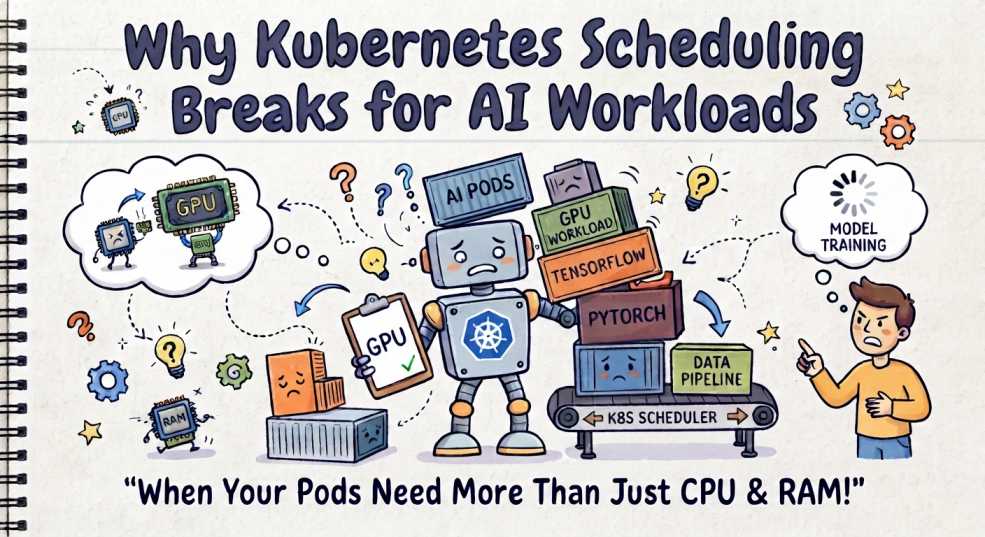
Your cluster has GPUs available.
Your AI workload is still stuck in Pending.
You check the nodes.
There is enough CPU.
There is enough memory.
GPUs even appear to be available.
So why isn't Kubernetes scheduling the workload?
Because "a GPU is available" and "the workload can actually run" are not the same thing.
AI workloads are pushing Kubernetes scheduling beyond the traditional model of:
Pod → CPU + Memory → Find a suitable node → Schedule
A distributed training job might need multiple GPUs, specific hardware characteristics, topology-aware placement, enough CPU and memory, and several worker Pods to start together.
An inference workload has a different set of concerns. Accelerator type, model placement, GPU memory, replica availability, cold starts, and latency can all matter.
The problem is not that Kubernetes suddenly became bad at scheduling.
The workloads changed.
Welcome to DevOps Inside, where we go beyond the surface to understand how modern DevOps systems actually work under the hood.
In this article, we'll look at why AI workloads expose limitations in traditional Pod-by-Pod scheduling, what Kubernetes 1.35, 1.36, and 1.37 have changed, and where gang scheduling, Dynamic Resource Allocation (DRA), topology-aware scheduling, and Kueue fit into the picture.
Kubernetes Was Built Around Pods
At its core, Kubernetes scheduling answers a relatively straightforward question:
Which node should run this Pod?
A Pod enters the scheduling workflow.
The scheduler filters nodes that cannot satisfy its requirements, scores feasible nodes, and eventually selects a placement.
For a traditional application, that model works well.
A web server might request:
resources:
  requests:
    cpu: "2"
    memory: "4Gi"
The scheduler can ask:
- Does the node have enough CPU?
- Does it have enough memory?
- Does it satisfy the Pod's affinity and topology rules?
- Does it tolerate the node's taints?
- Does it satisfy the other scheduling constraints?
Then it chooses a suitable node.
AI workloads change the question.
Instead of asking:
Where can this Pod run?
You increasingly need to ask:
Where can this entire workload run so that all of its components can make progress?
That difference becomes critical when a workload consists of multiple tightly coupled Pods.
An AI Training Job Isn't Just a Bigger Pod
Consider a distributed training job with four workers.
Each worker needs one GPU:
Training Job
   |
   +-- Worker 0 → GPU
   +-- Worker 1 → GPU
   +-- Worker 2 → GPU
   +-- Worker 3 → GPU
The application may need all four workers to participate before meaningful progress can happen.
Traditional Pod scheduling does not automatically treat those four Pods as one scheduling decision.
Without workload-aware scheduling, Kubernetes can end up with something like:
Worker 0 → Scheduled
Worker 1 → Scheduled
Worker 2 → Scheduled
Worker 3 → Pending
Now three GPUs are occupied, but the training job still cannot make useful progress.
This is one of the problems Kubernetes has been addressing through its workload-aware scheduling work.
Kubernetes 1.35 introduced the Workload API and an initial implementation of gang scheduling. Kubernetes 1.36 separated the Workload API's desired state from the runtime PodGroup representation and introduced a PodGroup scheduling cycle. In Kubernetes 1.37, gang scheduling graduated to Beta.
The important point is that this is an evolution of the scheduling model, not simply another GPU feature.
The Real Problem Is Not Just GPU Capacity
Imagine a cluster with eight free GPUs.
At first glance, an eight-GPU workload should fit.
But the eight GPUs might be distributed like this:
Node A → 2 GPUs
Node B → 2 GPUs
Node C → 2 GPUs
Node D → 2 GPUs
If the workload requires a single Pod with eight GPUs, those four nodes do not magically become one eight-GPU machine.
Even with multiple Pods, placement can still matter.
The GPUs may differ in:
- accelerator model
- memory capacity
- memory bandwidth
- interconnect
- NUMA locality
- CPU locality
- network connectivity
- topology
- device availability
- partitioning or sharing configuration
You can therefore have:
8 GPUs freeand still not have:
a usable 8-GPU placementThis is GPU fragmentation.
It is one of the reasons aggregate resource numbers can be misleading for AI workloads.
GPU Utilization Can Lie Too
Suppose you look at your monitoring dashboard and see:
GPU 0 → 20%
GPU 1 → 25%
GPU 2 → 90%
GPU 3 → 95%
It is tempting to conclude that the cluster has plenty of GPU capacity.
But utilization alone does not tell you whether a new workload can use those devices effectively.
The workload might depend on:
- GPU memory capacity
- accelerator generation
- memory bandwidth
- CPU locality
- NUMA locality
- GPU-to-GPU topology
- network bandwidth
- network latency
- storage throughput
- model size
- batch size
- communication patterns
A GPU running at 20% utilization is not necessarily a "free GPU."
It could be holding a large model in memory.
It could also be part of a distributed workload where the important constraint is communication between several accelerators rather than raw compute utilization.
There is another important distinction here:
Runtime performance signals are not automatically scheduler inputs.
Kubernetes can make placement decisions using resources and scheduling constraints exposed to the scheduler. A monitoring system may know that a GPU is performing poorly or that network latency has increased, but that information does not automatically become a scheduling constraint.
That gap between what the infrastructure knows and what the scheduler can act on is important when designing AI platforms.
DRA Changes How Kubernetes Thinks About Hardware
Traditional Kubernetes resource requests are useful when the resource can be represented cleanly as a quantity.
For example:
resources:
  limits:
    example.com/gpu: 1
But modern accelerators can have much richer characteristics.
You may care about:
- device type
- device memory
- capabilities
- health
- topology
- partitioning
- device-specific attributes
This is where Dynamic Resource Allocation (DRA) becomes important.
DRA is stable in Kubernetes since v1.35. It allows workloads to request and share resources such as hardware accelerators through concepts including DeviceClasses and ResourceClaims. Kubernetes can allocate matching devices and place Pods on nodes that can access them.
Conceptually, there is a difference between:
Give me one GPUand:
Give me a device that matches these characteristicsDRA provides a structured way for Kubernetes and resource drivers to represent those requirements.
Kubernetes 1.37 also graduated DRA Extended Resource support to GA. This allows a DRA driver to satisfy traditional extended-resource requests such as example.com/gpu, without requiring a separate device plugin for that resource path.
So DRA does not simply replace every existing GPU request.
Instead, it expands the ways Kubernetes can describe and allocate specialized hardware.
Then Comes Topology
Now imagine four workers:
Worker 0 → Rack A
Worker 1 → Rack B
Worker 2 → Rack C
Worker 3 → Rack D
The workload may technically run.
But that does not mean it will run efficiently.
For tightly coupled distributed workloads, communication between workers can become a major part of the performance equation.
A better placement might be:
Worker 0 → Rack A
Worker 1 → Rack A
Worker 2 → Rack A
Worker 3 → Rack A
But even that is not universally "better."
The correct placement depends on the actual hardware topology and communication characteristics of the workload.
Kubernetes introduced Topology-Aware Workload Scheduling as an Alpha feature in v1.36, and it remains disabled by default. It can evaluate PodGroup placement against topology domains such as racks or zones. Kubernetes 1.37 also adds Alpha support for multi-level topology through CompositePodGroups.
This matters because the scheduler is no longer thinking only about:
Does this Pod fit on this node?It can increasingly reason about:
Can this workload fit into the required topology?The Scheduling Problem Keeps Getting Bigger
The scheduling problem for AI workloads can look more like this:
AI Workload
    |
    +-- GPUs
    +-- CPU
    +-- Memory
    +-- Device characteristics
    +-- NUMA locality
    +-- Network topology
    +-- Storage
    +-- Pod placement
    +-- Worker coordination
    +-- Admission
    +-- Fairness
    +-- Preemption
Now the scheduler is dealing with a combination of:
resource capacity + hardware characteristics + topology + workload structure
That is much closer to a constraint-solving problem than simply finding an empty node.
And even that is only part of the picture.
You also need to decide which workload should get those resources in the first place.
What Happens Without Gang Scheduling?
Consider two distributed training jobs.
Each needs four GPUs.
The cluster has eight GPUs, but the available capacity is fragmented, and other workloads are competing for resources.
With traditional Pod-by-Pod scheduling, Kubernetes can partially place Pods from different workloads.
You could end up with:
Job A → 3 GPUs
Job B → 3 GPUs
Remaining → 2 GPUs
Neither job has enough capacity to start its intended workload.
Now resources are being consumed without either workload making progress.
In some resource-constrained configurations, this can contribute to scheduling deadlocks or severe resource inefficiency. Kueue's documentation describes this exact class of problem for synchronized workloads: partially scheduled jobs can hold resources while waiting for the remaining resources they need.
Gang scheduling changes the placement decision.
With the gang policy, Kubernetes can treat a PodGroup as a unit and require that at least the configured minCount of Pods can be placed before binding them. Kubernetes 1.37's gang scheduling implementation is Beta and disabled by default.
Conceptually:
Without gang scheduling:

Pod → Schedule
Pod → Schedule
Pod → Schedule
Pod → Pending


With gang scheduling:

Workload
   |
   +-- Can the required group fit?
          |
       Yes → Bind
       No  → Wait
That distinction becomes increasingly important as workloads become larger and more tightly coupled.
Kubernetes 1.37 Is Moving Scheduling Toward Workloads
Kubernetes did not suddenly introduce workload-aware scheduling in 1.37.
The evolution happened across several releases.
Kubernetes 1.35
Kubernetes introduced the first Workload API and initial gang scheduling support.
Kubernetes 1.36
The Workload API and scheduling architecture evolved further.
Kubernetes introduced the PodGroup runtime representation and a dedicated PodGroup scheduling cycle. The release also introduced the first iterations of topology-aware scheduling and workload-aware preemption.
Kubernetes 1.37
Gang scheduling graduated to Beta.
Workload-aware preemption also progressed to Beta, and Kubernetes continued expanding workload-aware scheduling and DRA integration. DRA Extended Resource support graduated to GA.
The important caveat is that these features do not mean every Kubernetes cluster suddenly behaves like an AI scheduler.
Gang scheduling and PodGroup scheduling are Beta in 1.37 and disabled by default. They require the relevant feature gates and APIs to be enabled. Topology-Aware Workload Scheduling is still Alpha and disabled by default.
So the direction is clear, but the transition is still underway.
Where Kueue Fits
Kubernetes scheduling and workload admission are related, but they are not the same problem.
The Kubernetes scheduler primarily answers:
Where should these Pods run?
Kueue is concerned with:
When should this workload be allowed to start?
Kueue provides workload queueing and admission mechanisms for batch, HPC, and ML-style workloads.
It manages concepts such as:
- ClusterQueues
- LocalQueues
- quota reservation
- workload priorities
- fair sharing
- preemption
- admission checks
- topology-aware admission
- resource flavors
A simplified model looks like this:
Workload
   |
   v
Kueue
   |
   |  Should this workload be admitted?
   v
Kubernetes Scheduler
   |
   |  Where should its Pods run?
   v
Nodes
Kueue's documentation explicitly distinguishes workload admission from Pod scheduling. A Kueue Workload represents the application being admitted, while Kubernetes remains responsible for placing Pods on nodes.
Kueue can also use topology-aware admission so that aggregate quota is not the only consideration. This matters because having enough total GPUs does not necessarily mean the requested workload can actually be placed on the available nodes.
Why Queueing Matters for GPUs
Imagine a cluster with:
64 GPUsThree teams submit workloads:
Team A → 48 GPUs
Team B → 32 GPUs
Team C → 16 GPUs
You cannot simply schedule them all at once.
Now the platform needs policies for:
- quotas
- priorities
- fair sharing
- borrowing
- workload admission
- preemption
- topology
- queue ordering
The exact behavior depends on how the platform is configured.
Kueue provides mechanisms for these decisions, including ClusterQueues, fair sharing, quota reservation, workload priorities, and preemption.
This is especially important for expensive accelerators.
A CPU-heavy workload waiting for five minutes may be inconvenient.
A workload holding several expensive GPUs while waiting for the rest of its distributed workers can become a serious capacity and cost problem.
AI Inference Has a Different Scheduling Problem
Training and inference should not be treated as identical scheduling workloads.
A simplified inference deployment might look like:
Model
  |
  +-- Replica 1 → GPU
  +-- Replica 2 → GPU
  +-- Replica 3 → GPU
Now traffic changes:
50 requests/s
      ↓
500 requests/s
      ↓
2 requests/s
The scheduling problem becomes closely connected to:
- accelerator availability
- GPU memory
- model loading
- replica placement
- cold starts
- autoscaling
- latency
- traffic distribution
- GPU sharing
For inference, keeping the right capacity available at the right time may matter more than scheduling an entire training gang.
This is one reason there is no single "AI scheduler" configuration that solves every workload.
A distributed training job and a latency-sensitive inference service have fundamentally different objectives.
The Pending Pod Is Sometimes the Wrong Diagnosis
You run:
kubectl get podsand see:
NAME          STATUS
trainer-0     Running
trainer-1     Running
trainer-2     Pending
trainer-3     Pending
The first instinct is often:
We need more GPUs.
Maybe.
But the actual problem could be:
- GPU type mismatch
- GPU memory or device constraints
- GPU fragmentation
- node affinity
- taints and tolerations
- topology constraints
- DRA allocation
- PodGroup requirements
- insufficient group capacity
- preemption constraints
- queue admission
- unavailable ResourceClaims
- workload-level scheduling requirements
This is why debugging AI scheduling requires looking beyond the Pod's resource request.
Start with the normal Kubernetes scheduler signals:
kubectl describe pod <pod-name>and:
kubectl get events --sort-by=.lastTimestampThen inspect the workload-specific layer when it exists.
For example:
Pod
 ↓
PodGroup / Workload
 ↓
Kueue Workload
 ↓
Queue / ClusterQueue
The important question is not simply:
Why is this Pod Pending?
It is:
At which layer did the workload stop making progress?
That distinction can save a lot of debugging time.
The New AI Scheduling Stack
For a large distributed AI or batch environment, the architecture can increasingly look like this:
AI Workload
     |
     v
Workload / Job
     |
     v
Queue / Admission
     |
   Kueue
     |
     v
kube-scheduler
     |
     +-- Gang Scheduling
     +-- Topology-Aware Scheduling
     +-- DRA
     |
     v
GPU / CPU / Memory / Nodes
This is a conceptual stack, not a requirement that every workload use every component.
A small inference Deployment may never need gang scheduling.
A simple GPU workload may continue using traditional extended resources.
A large distributed training platform may combine workload-aware scheduling, DRA, topology constraints, and Kueue.
The architecture depends on the workload and the level of control the platform team needs.
Does This Mean the Default Kubernetes Scheduler Is Broken?
No.
The default scheduler is still doing what it was designed to do.
The problem is that the scheduling problem itself has changed.
A traditional application might say:
I need:

2 CPU
4 GiB memory
1 Pod
A distributed AI workload might effectively say:
I need:

8 accelerators
specific device characteristics
enough accelerator memory
32 CPU
128 GiB memory
specific topology
high-bandwidth communication
multiple workers
coordinated placement
queue admission
Those are very different scheduling problems.
Kubernetes is responding by making workload structure, device allocation, and topology increasingly visible to the scheduling system.
Gang scheduling is Beta in 1.37, DRA is stable, DRA Extended Resource support is GA in 1.37, while topology-aware workload scheduling remains Alpha.
The important part is understanding which capabilities are actually enabled and supported in your cluster rather than assuming that a Kubernetes version automatically enables them.
When Should You Use What?
| Problem | Kubernetes capability / tool |
|---|---|
| Basic CPU and memory placement | kube-scheduler |
| Specialized hardware allocation | DRA or extended resources |
| All-or-nothing distributed workload placement | Gang scheduling |
| Hardware and topology-aware placement | DRA + topology-aware scheduling |
| Workload admission and queueing | Kueue |
| Complex batch queues | Kueue |
| Distributed AI training | Workload-aware scheduling + appropriate hardware allocation + queueing where needed |
| AI inference | kube-scheduler + accelerator allocation + autoscaling + workload-specific policies |
The important word here is combination.
These technologies solve different parts of the problem.
DRA handles resource allocation.
Gang scheduling handles coordinated placement.
Topology-aware scheduling handles placement constraints related to infrastructure topology.
Kueue handles workload admission and queueing.
The Kubernetes scheduler still performs the underlying Pod placement.
What Platform Engineers Should Watch
AI scheduling is not just a Kubernetes feature problem.
It is becoming a platform engineering and FinOps problem too.
If an eight-GPU workload spends 20 minutes waiting because seven GPUs are available but the required placement cannot be formed, those resources are not necessarily being used efficiently.
If several partially scheduled training jobs hold GPUs while waiting for additional capacity, the cluster can become fragmented.
If a workload is repeatedly admitted only to discover that its Pods cannot achieve the required topology, the platform is wasting both time and capacity.
This means AI platforms need visibility into more than:
GPU utilizationThey increasingly need to understand:
GPU capacity
GPU fragmentation
workload queue time
admission time
scheduling latency
placement failures
topology constraints
device allocation failures
Pod startup time
training startup time
The goal is not simply to keep GPUs busy.
The goal is to keep useful workloads moving.
The Bigger Lesson
For years, Kubernetes scheduling could be understood primarily as:
Find a suitable node for each Pod.
AI workloads are making that abstraction increasingly incomplete.
A distributed training workload may care about:
- the entire group of Pods
- accelerator characteristics
- GPU memory
- topology
- NUMA locality
- network locality
- admission
- fairness
- preemption
- startup coordination
That is why Kubernetes is moving toward workload-aware scheduling.
The Workload API, PodGroup scheduling, gang scheduling, DRA, and topology-aware scheduling are pieces of a broader shift: the workload itself is becoming a first-class scheduling concern.
Kueue extends that model beyond placement by deciding which workloads should receive access to shared capacity in the first place.
The result is a more complete scheduling stack:
What is the workload?
        ↓
What does it need?
        ↓
Should it run now?
        ↓
Where can it run?
        ↓
Which hardware should it use?
        ↓
Can the required group fit?
        ↓
Can it communicate efficiently?
That is a very different problem from simply finding an empty node.
Key Takeaways
- AI workloads expose limitations in traditional Pod-by-Pod scheduling.
- Having free GPUs does not necessarily mean a workload has a usable placement.
- GPU fragmentation and GPU type or device constraints can make apparently available capacity unusable.
- Distributed training often needs coordinated placement of multiple Pods.
- Kubernetes introduced the Workload API and initial gang scheduling support in 1.35.
- Kubernetes 1.36 expanded workload-aware scheduling with PodGroup scheduling and introduced the first topology-aware scheduling capabilities.
- Gang scheduling graduated to Beta in Kubernetes 1.37, but it is disabled by default.
- Topology-Aware Workload Scheduling is still Alpha and disabled by default.
- DRA has been stable since Kubernetes 1.35.
- DRA Extended Resource support graduated to GA in Kubernetes 1.37.
- Kueue focuses on workload admission, queueing, and resource management rather than replacing kube-scheduler.
- Training and inference have different scheduling requirements.
- A
PendingPod does not always mean "add more GPUs." - The future of Kubernetes scheduling is increasingly about understanding the workload, not just the Pod.
Final Thoughts
Kubernetes did not suddenly become bad at scheduling.
The workloads became harder.
Scheduling a web server that needs 2 CPUs and 4 GiB of memory is one problem.
Scheduling a distributed AI workload that needs eight accelerators, specific hardware characteristics, topology-aware placement, coordinated workers, and access to scarce cluster capacity is another.
That is why Kubernetes is evolving beyond the simple:
Pod → Find Node → Runmodel.
Workload-aware scheduling, gang scheduling, DRA, topology-aware placement, and queueing systems such as Kueue are all pieces of that evolution.
The real challenge is no longer just finding an empty node.
It is finding the right capacity, with the right hardware, in the right topology, at the right time, for the right workload.
The GPU isn't the scarce resource. The right GPU in the right place at the right time is.
What comes next
We have looked at how Kubernetes is becoming more aware of the workload and the hardware it needs.
But there is another layer underneath all of this.
How does Kubernetes actually expose a GPU or other accelerator to a container in the first place?
That takes us into the lower-level world of device plugins, resource drivers, device discovery and Dynamic Resource Allocation, where the boundary between Kubernetes and the underlying hardware gets much more interesting.