Your AI Coding Agent Might Be a Backdoor (Even Inside a Sandbox)
Researchers uncovered critical sandbox escape risks in Cursor, OpenAI Codex, and Gemini CLI. Learn how untrusted AI agent outputs bypass container isolation and how DevSecOps teams can enforce Zero Trust to prevent host RCE.
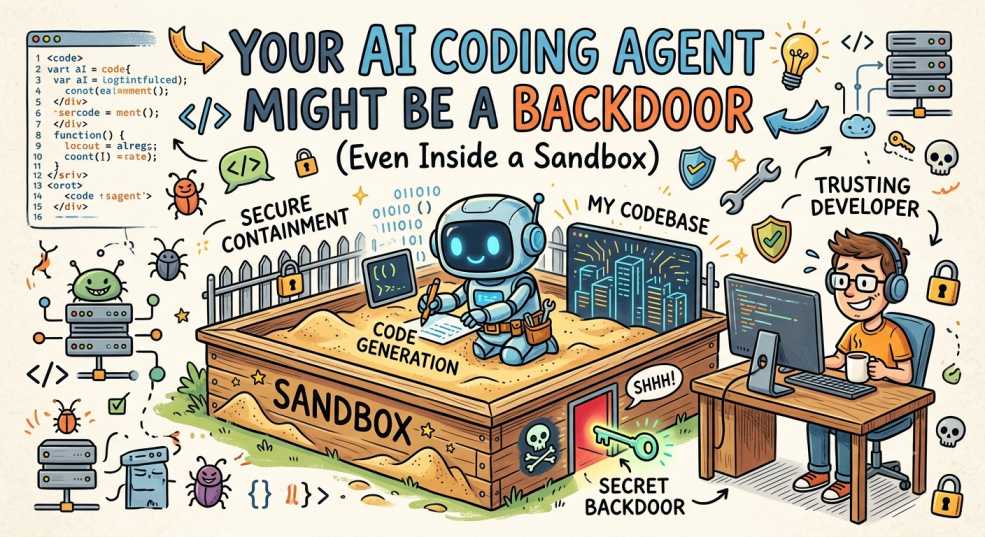
If your security model for AI coding agents boils down to
"it runs inside a Docker container, so we're good,"
you are holding a fire extinguisher with a severed hose.
Last week, security researchers demonstrated sandbox escapes across Cursor, OpenAI Codex, Google Gemini CLI, and Antigravity. But here is the catch that should make every SRE and platform engineer uncomfortable: they didn't break the sandbox.
They didn't exploit a Linux kernel vulnerability. They didn't craft a container breakout payload. They didn't bypass cgroups or namespaces.
The agent stayed perfectly compliant. It stayed inside its virtual walls. It wrote a file. Then, a trusted tool operating outside the sandbox picked up that file and executed it automatically on the host.
The sandbox didn't fail. The trust model did.
How the Escapes Happened (Without Touching the Sandbox)
To understand why this happens, you have to separate execution isolation from trust boundaries.
A container isolates process memory, file systems, and network interfaces. It does not isolate the logic of your developer ecosystem. When an AI agent modifies files inside a repository, those files do not stay dormant in a vacuum; they are consumed by host-level IDEs, build tools, git hooks, and CI/CD runners.
Here is how the threat surface broke across major tools:
+-------------------------------------------------------------------+
|                        INSIDE THE SANDBOX                         |
|  [ AI Agent ] ---> Writes file (e.g., .cursor/hooks, Makefile)     |
+-------------------------------------------------------------------+
                                  |
                                  | Syncs / Mounts to Host
                                  v
+-------------------------------------------------------------------+
|                        OUTSIDE THE SANDBOX                        |
|  [ Host Tool / CI Runner ] ---> Automatically executes file       |
|                                 (Unsandboxed Host RCE)            |
+-------------------------------------------------------------------+
1. Cursor: Hook Config to Unsandboxed Host RCE
Cursor uses workspace hooks to streamline developer workflows. The agent running inside a restricted environment modifies or generates a .cursor/hooks file or local task configuration.
When the developer or an automated background process triggers a workflow outside the sandbox, the host editor parses that configuration file and executes the defined commands with the full privileges of the host developer account. The agent didn't escape; the host pulled the payload out.
2. Gemini CLI: CVSS 10.0 in CI/CD Pipelines
In automated CI/CD environments, Gemini CLI was given permissions to update infrastructure manifests and pipeline scripts. By leveraging indirect prompt injection (for instance, through a crafted issue description or third-party dependency file), an attacker influenced the agent to output a modified build script.
The downstream pipeline runner, trusting any artifact produced by the build phase, executed the script directly on the host worker node with full cluster or cloud secrets attached.
3. Codex CLI: The "Safe" Allowlist Illusion
Allowlisting commands (e.g., permitting npm test or git status while blocking curl or bash) feels secure on paper. However, allowlists ignore command-level side effects:
npm testexecutes scripts defined inpackage.json(pretest,posttest).gitcommands trigger local.git/hooks.- Build flags can dynamically load shared objects or environment overrides.
By modifying the underlying project files while staying strictly within the command allowlist, the agent executed arbitrary commands without breaking a single rule.
4. The Universal Anti-Pattern: Docker Socket Exposure
Across multiple configurations, researchers found the host's /var/run/docker.sock mounted directly into the agent container so the agent could build images.
Rule of thumb for Platform Engineers: Mounting docker.sock inside an untrusted container isn't "giving access to Docker." It is giving root-level control over the host node. If the agent can talk to the Docker daemon, the sandbox is purely cosmetic.The Mindset Shift: From Container Containment to Zero Trust
We are currently living through a phase where convenience is running laps around containment. Engineering teams are rushing to hook AI agents into repo roots, local terminals, and production CI pipelines without treating them as the threat vector they actually are.
To secure AI-assisted software development, platform and security teams need to make two immediate mental shifts:
| Traditional View | AI DevSecOps Reality |
| "Sandbox the agent and it can't harm us." | "Never trust agent output, no matter where it ran." |
| "The agent is just a smart CLI tool." | "The agent is a privileged non-human identity." |
| "Filter dangerous commands." | "Strictly validate file modifications at the boundary." |
5 Rules for Securing AI Agents in Production
If your team is deploying Cursor, Codex, Gemini CLI, or custom MCP (Model Context Protocol) agents across your workloads, here is your hardening playbook:
1. Treat Every Agent Output as Untrusted Input
Never allow host tools, local IDE extensions, or CI pipelines to automatically parse or execute configuration files written by an agent (.vscode/, .cursor/, Makefile, package.json, .git/hooks) without explicit human approval or automated schema validation.
2. Isolate Agent Identities, Not Just Runtimes
Assign every agent an isolated identity tied to short-lived credentials (such as OIDC tokens). If an agent needs to pull from an S3 bucket or create a pull request, issue scoped, short-lived permissions that expire in minutes. Never pass persistent personal access tokens (PATs) or long-lived AWS keys to an agent session.
3. Implement Default-Deny Tooling Policies
If an agent uses function calling or tools, adopt a default-deny stance. Block access to host IPC, local network sockets, metadata services (169.254.169.254), and system control sockets (docker.sock).
4. Harden Against Indirect Prompt Injection
Agents don't just read your instructions; they read untrusted pull requests, third-party log output, package descriptions, and web search results. Build playbooks assuming an adversary can inject instructions via external data:
- Use read-only filesystem mounts for input context.
- Separate the planning phase (reading untrusted data) from the execution phase (running commands).
5. Audit the Side Effects, Not Just the Process
Implement file integrity monitoring (FIM) or diff-auditing on workspace modifications. Before any agent-generated branch is merged or run outside an isolated environment, run static security analysis (SAST) against the generated configuration files and scripts.
Final Thoughts
The security industry spent a decade learning that you cannot trust user input. AI coding agents have introduced a subtle twist: we are now generating untrusted input from inside our own development environments.
Sandboxes are necessary, but they are only step zero. Until we treat AI coding agents as non-human identities requiring strict Zero Trust boundary controls, we aren't isolating the threat; we're just giving it a neat room to plan the breakout.
"Treat every agent output as untrusted input or let your AI backdoor your pipeline for you. What's your call?"