The Linux Files: 30 Things You Didn't Know About Linux (Part 4)
Think you know Linux? This post uncovers 30 surprising facts and hidden capabilities that even experienced users often miss.
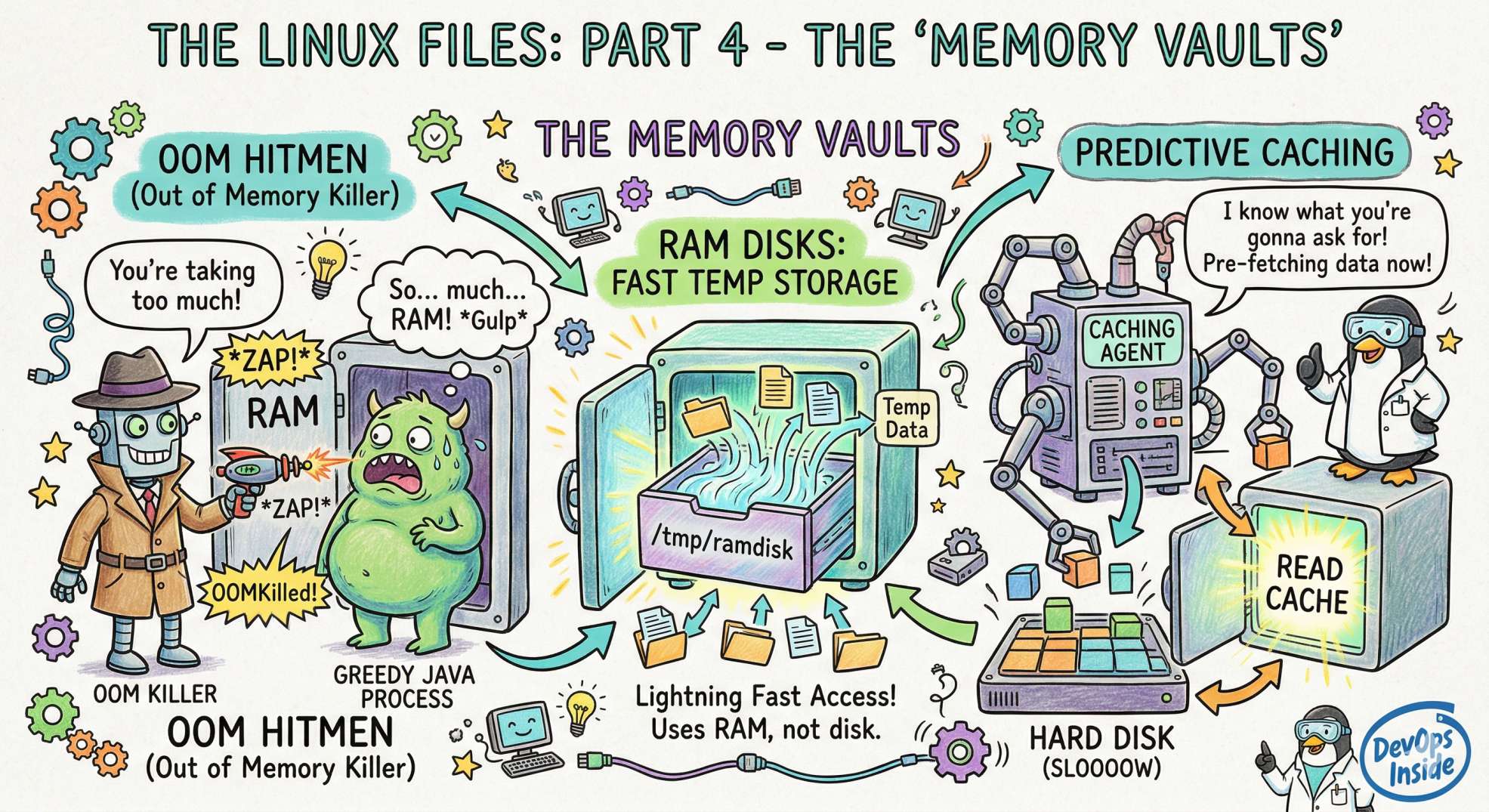
The "Memory Vaults" - OOM Hitmen, RAM Disks, and Predictive Caching
We’ve survived the history lessons, the container isolation ward, and the dizzying network of packets. Now, we’re heading into the "Storage and Memory" vaults.
This is the place where performance goes to die, or where it’s optimized to perfection. In Part 4, we are going to look at how Linux manages its brain (RAM) and its memory (Storage), and why, sometimes, the kernel has to become a "hitman" to keep the system alive.
Here are the next 5 secrets from the depths of the OS.
16. The OOM Killer: The Kernel’s Internal Hitman 🔫
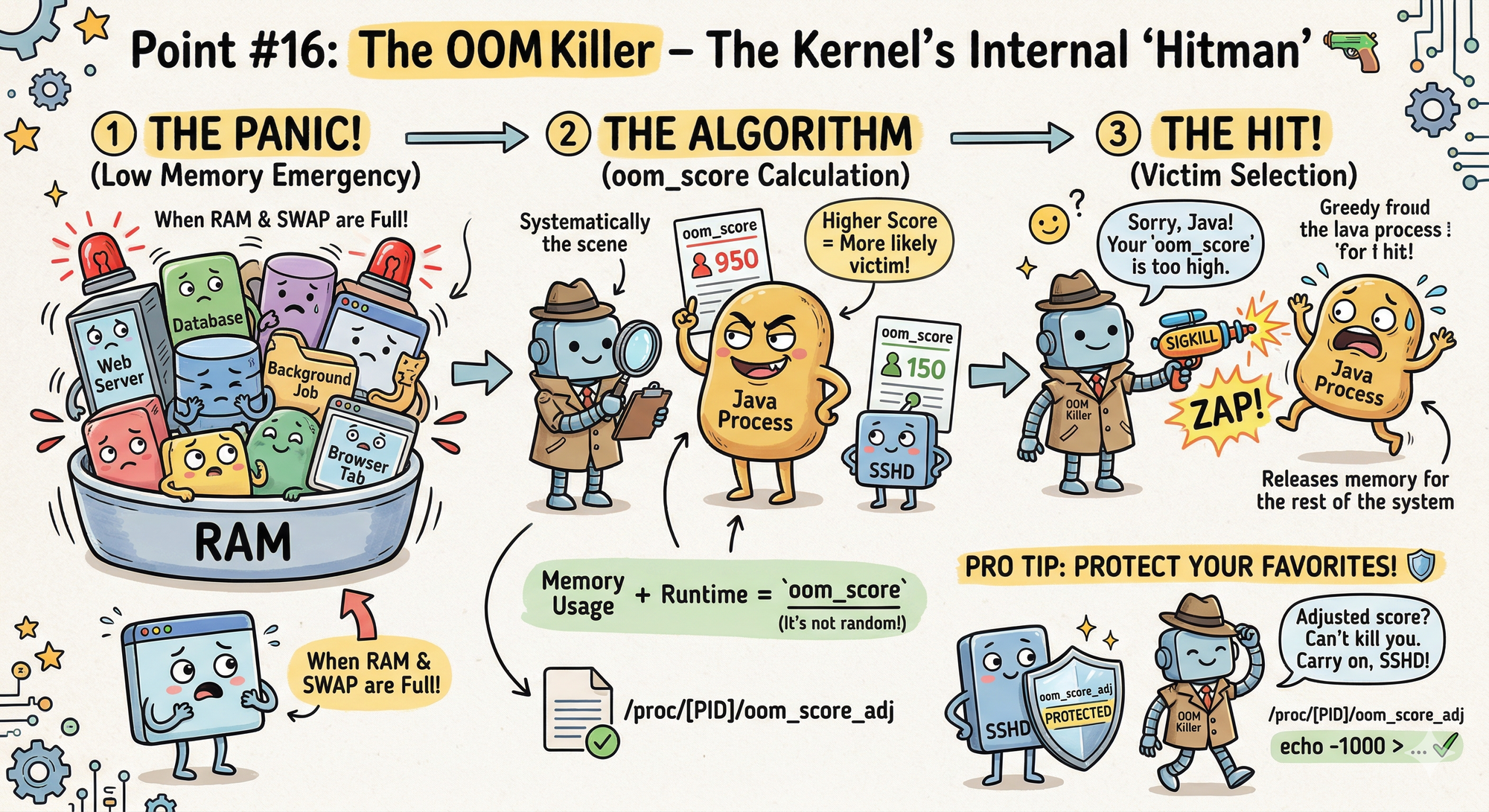
Ever had a process... vanish? No error message, no warning, just gone. You’ve likely met the OOM (Out Of Memory) Killer.
- The Secret: When Linux runs out of RAM and Swap space, it doesn't just crash. It invokes a specialized algorithm to select a "victim" process and kills it to free up memory for the rest of the system.
- The Senior Dev Insight: The OOM Killer isn't random. It calculates an
oom_scorebased on how much memory a process is using and how long it’s been running. - Pro Tip: You can actually "protect" your most important processes (like your SSH daemon) by adjusting their
oom_score_adjvalues in/proc.
17. Swap is Not "Emergency RAM" 🛑
Most beginners think Swap space is just extra RAM on the hard drive. This is a dangerous misunderstanding.
- The Secret: Swap is actually a memory management tool used to move "cold" (inactive) memory pages out of expensive RAM and onto the disk to make room for the "Linux Page Cache."
- Real-World DevOps: If your system starts "swapping" heavily for active processes, your performance will drop by 100x because disk speeds (even NVMe) can't touch RAM speeds. In modern Kubernetes environments, we often disable Swap entirely to ensure predictable performance.
18. The "Magic" of Symbolic Links (Symlinks vs. Hard Links) 🔗
In Part 1, we said everything is a file. But sometimes, one file is actually just a "pointer" to another.
- The Secret: A Symlink (Soft Link) is like a desktop shortcut; if you delete the original file, the link breaks. A Hard Link is different; it's an additional name for the same data on the disk.
- The Pro Hack: You can delete the original file of a Hard Link, and the data stays perfectly intact as long as at least one Hard Link remains. It's a great way to save space when you need the same large config file in multiple directories.
19. /dev/shm: The "Hidden" RAM Disk ⚡
Need to write temporary files but find the disk too slow? Linux has a built-in "Shared Memory" directory that lives entirely in your RAM.
- The Secret: Anything you write to
/dev/shmis stored in physical memory, not on your SSD or HDD. - Real-World Use Case: If you have a script that needs to process 1,000 small files a second, don't write them to
/tmp. Write them to/dev/shm. It’s essentially a "free" high-speed RAM disk that requires zero configuration.
20. The Page Cache: Your Invisible Performance Booster ⚡
Think your disk is slow? Linux already solved that.
- The Secret: Linux uses free RAM as Page Cache to store frequently accessed disk data.
- The Magic: First read → disk
Second read → RAM (almost instant) - The Confusing Truth: Your RAM may look “full,” but it's actually being used for caching.
- The Pro Insight: Linux automatically frees cache when needed.
Unused RAM is wasted RAM in Linux.
Looking Ahead to Part 5: We’re heading into Security and Permissions. We'll talk about the "God Mode" (Root), why chmod 777 is a crime, and how AI is now acting as a digital "Bodyguard" for your kernel.
💬 Quick Question: Have you ever had a "VIP" process killed by the OOM Killer? Did you fix the code, or just throw more RAM at the problem?
Let us know in the comments!
“When memory runs out, the kernel doesn’t negotiate; it kills. Set your limits, or it will.”