10 Most Common Kubernetes Errors and Their Fixes
Facing Kubernetes errors like CrashLoopBackOff or ImagePullBackOff? Discover the 10 most common issues and quick fixes every DevOps engineer should know.
1. CrashLoopBackOff
This error occurs when a pod continuously crashes and restarts, often due to application-level issues.
How to Fix:
- Check Logs: Investigate the container logs with:
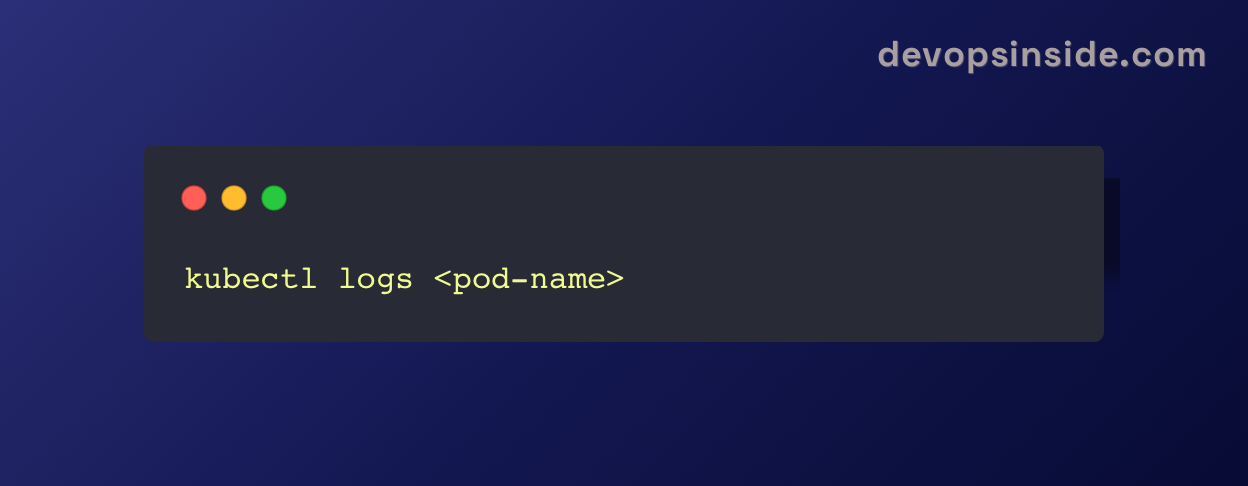
- Inspect Configuration: Review the pod’s configuration (e.g., incorrect environment variables, resource limits).
- Check Health Probes: Ensure readiness and liveness probes are properly configured.
2. ImagePullBackOff
Error Message:Failed to pull image "": rpc error: code = Unknown desc = Error response from daemon: pull access denied
This occurs when Kubernetes cannot pull the container image from the specified registry.
How to Fix:
- Check Image Name: Verify the image name and tag.
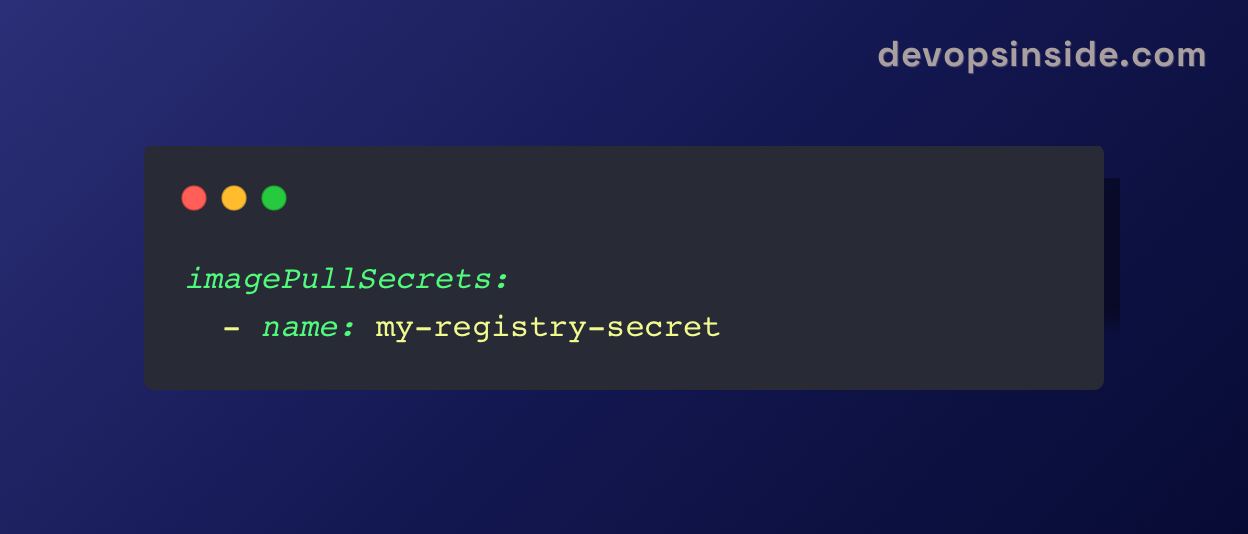
- Authenticate: If it’s a private registry, create a Kubernetes secret:

- Attach the secret to the pod:
3. Pod Stuck in Pending State
Error Message: Pod <pod-name> is stuck in "Pending" state.
This usually indicates insufficient resources or scheduling issues.
How to Fix:
- Check Node Resources: Ensure the cluster nodes have enough CPU, memory, and storage.
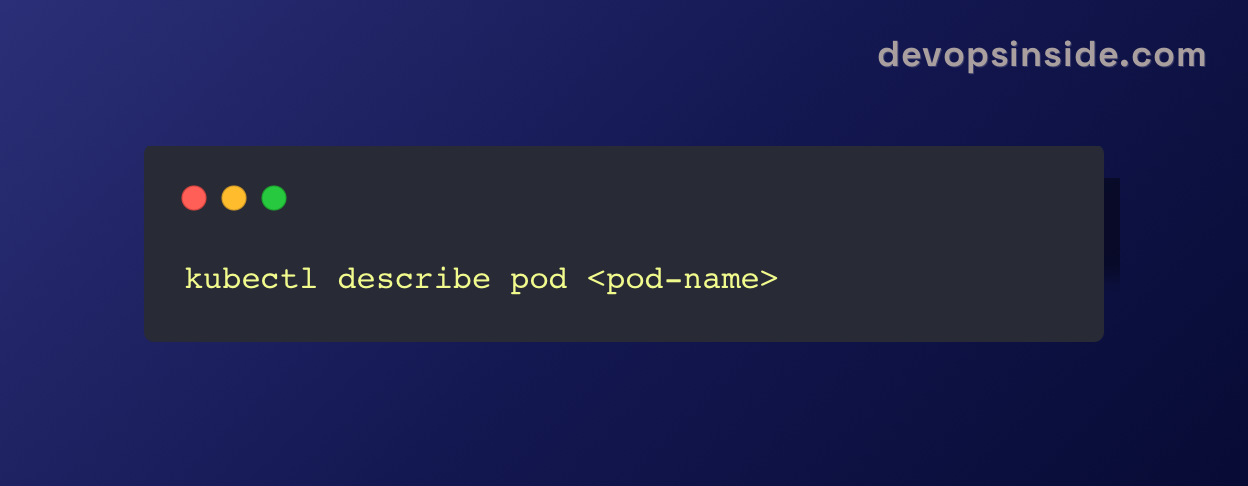
- Inspect Node Affinity or Tolerations: Verify that the pod’s node selectors or tolerations match available nodes.
4. Node NotReady
Error Message: STATUS: NotReady
A node may be marked as NotReady if it’s unresponsive or cannot connect to the Kubernetes control plane.
How to Fix:
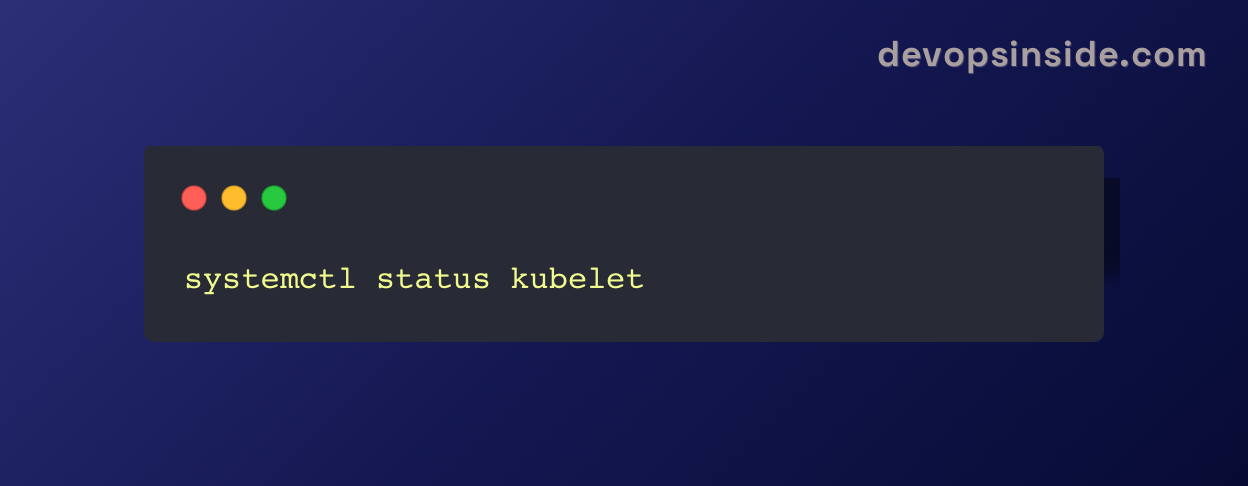
- Check Node Health: Inspect the kubelet service on the node.
- Restart the Node: Sometimes, rebooting the node can resolve temporary issues.
5. Error Creating Load Balancer
Error Message: Failed to create load balancer: Timeout or insufficient permissions.
This often occurs due to incorrect cloud provider configurations.
How to Fix:
- Check Cloud Provider Configuration: Ensure proper IAM roles and permissions are set.
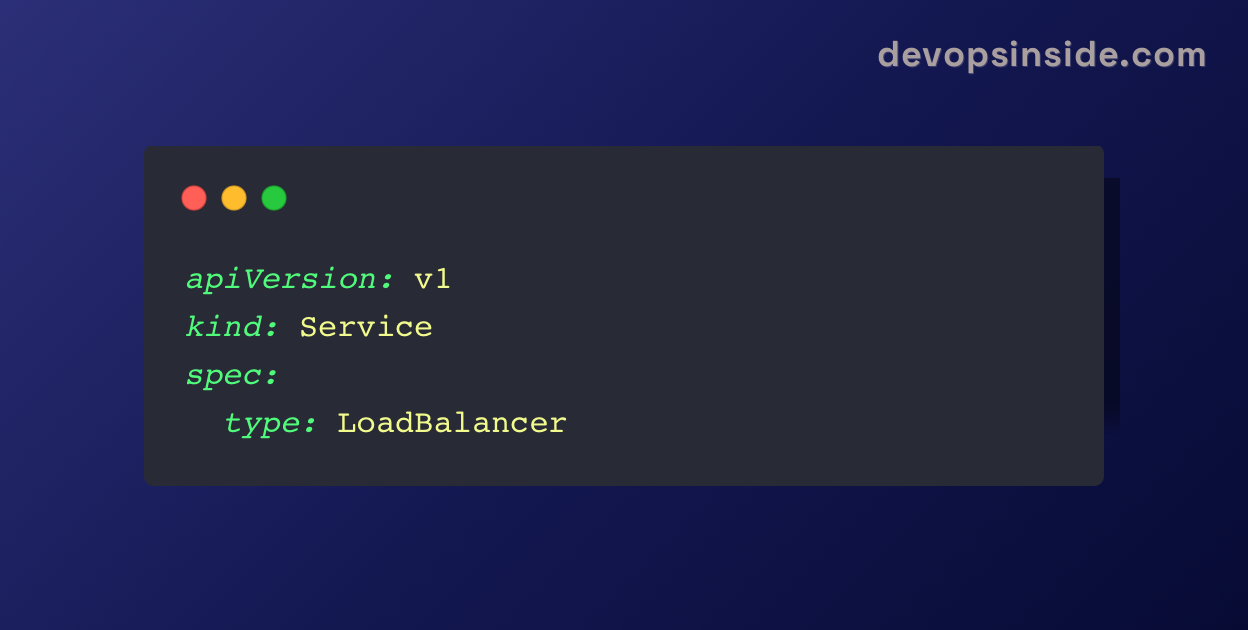
- Inspect Load Balancer Service: Verify the YAML configuration:
6. ContainerCreating Error
This occurs when Kubernetes fails to create the container.
How to Fix:
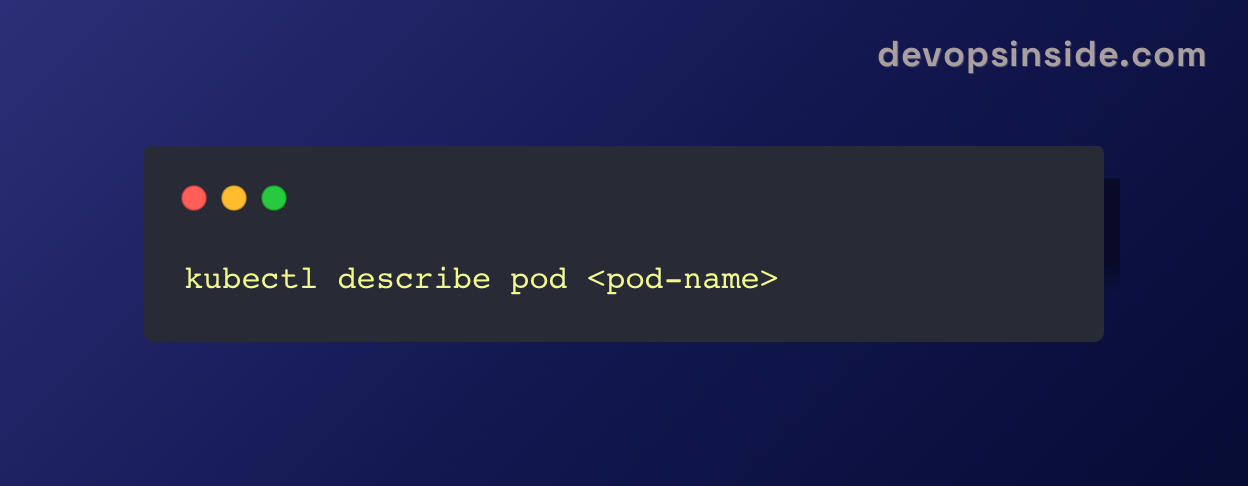
- Inspect Events: Check pod events to diagnose the issue.
- Verify Storage: Ensure persistent volume claims (PVCs) are correctly bound.
7. FailedMount Error
Error Message: MountVolume.SetUp failed for volume <volume-name>
This occurs when a pod cannot mount the requested storage volume.
How to Fix:
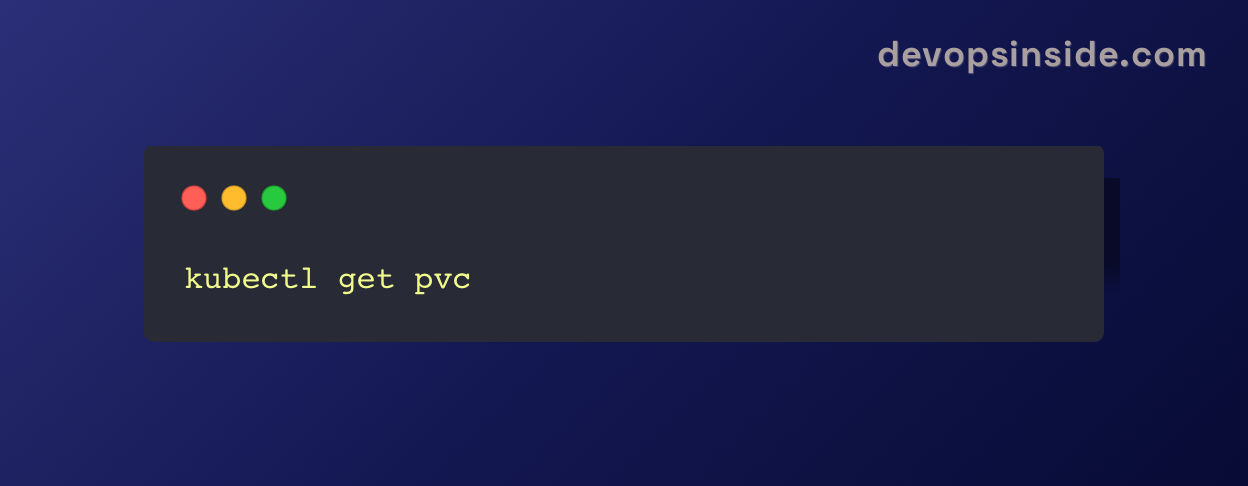
- Check Volume Status: Ensure the PVC is properly bound to a persistent volume (PV).
- Verify Storage Class: Check that the correct storage class is used.
8. Evicted Pods
Error Message: Pod evicted due to node resource pressure.
Pods are evicted when a node runs out of CPU, memory, or disk space.
How to Fix:
- Add Resources: Increase node resources by scaling up the cluster.
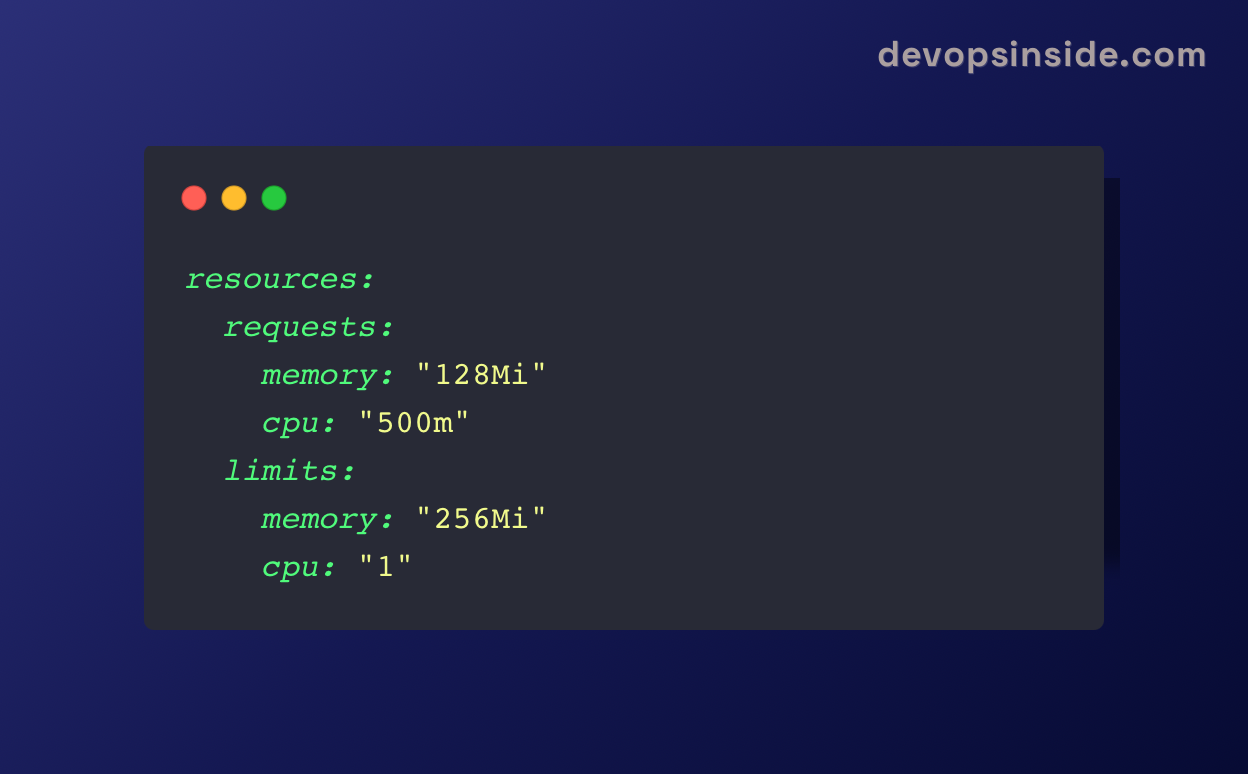
- Set Resource Requests and Limits: Prevent resource overuse with:
9. Unauthorized (401) Access
This error occurs when authentication or RBAC policies are misconfigured.
How to Fix:
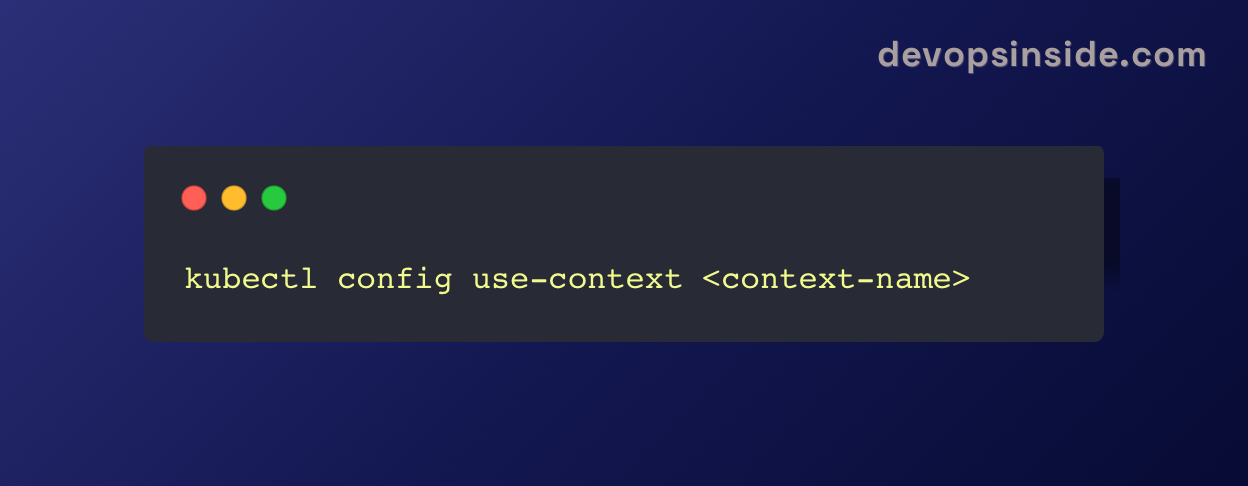
- Check Kubernetes Context: Ensure you are using the correct kubeconfig context:
- Inspect RBAC Policies: Verify role-based access control (RBAC) settings.
10. OOMKilled
This happens when a container exceeds its memory limit and is killed by Kubernetes.
How to Fix:
- Increase Memory Limits: Adjust resource limits in the pod’s YAML file.
- Optimize Application Memory Usage: Profile and optimize your application to prevent excessive memory consumption.
Conclusion
Kubernetes is a robust tool, but it can be difficult to deal with, if you don't know how to troubleshoot common mistakes and their fixes. By learning how to debug these ten most common mistakes, you can keep your Kubernetes clusters in top working order and reduce downtime. Don't forget, proper monitoring, logging, and resource allocation will prevent many of these problems from arising in the first place. Happy Kubernetes troubleshooting!🛠️
Thankyou for reading!
For more such informative blogs subscribe to https://devopsinside.com/